
Spirion Sensitive Data Platform version 13.6 introduces the Global Ignore List feature.
The Global Ignore Lists section under Settings > Application Settings > Scans Settings appears for Admin users.
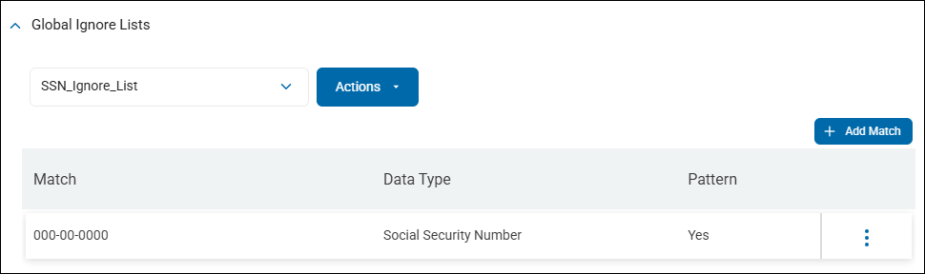
What is the Global Ignore List?
Sensitive data matches such as social security numbers, or credit card numbers, etc., can be included in a Global Ignore List. Scans performed by Spirion Agents capture sensitive data matches, but ignore those specified in the Global Ignore List or those which match a pattern specified in the Global Ignore List. The Sensitive data matches are not sent to the Sensitive Data Platform console and therefore are not visible in scan results, reporting, or dashboards.
This feature is useful to eliminate false positives - sensitive data matches which exist, but are considered invalid, because they are provided for context, examples, samples, training, or other means:
- Example birth dates
- Sample social security numbers
- Fictitious credit card numbers
Example
A sample piece of data provided on a form, such as a date of birth, which is always scanned, should be included in a Global Ignore List so that it does not register as a valid sensitive data match.
For more information, see How to Use Global Ignore Lists.