How Do I Mask Sensitive Data Matches in Search (Scan) Results?
As a consequence of running scans in Spirion Sensitive Data Platform the Scan Results page (Scans > Scan Results) displays the locations which contain the sensitive data your scans are searching for. Recall, locations are the files and emails (file or email including full path, such as \\SQLserver\passwords\internalPasswords.txt).
Examining a location reveals the specific sensitive data - referred to as "sensitive data matches" - your scans are searching for. This includes Social Security numbers, credit card numbers, telephone numbers, addresses, ePHI, health information, etc.
- Exposing sensitive data, even in the Spirion console, for reasons of privacy and security, is not recommended
Masking search results, in part or in whole, is done by Spirion Agents.
- Masking sensitive data matches in search results to the console is controlled by Agent Policy settings, on the Additional Settings page of the Create Policy (or Edit Policy) wizard.
- On the "Additional Settings" page, two settings must be the modified: "Send Match" and "Send Only Last Four Characters."
- These settings are described in the topic "How to Create a Policy Using the Wizard - Additional Settings."
- The setting "Send Match" must be enabled to activate the setting "Send Only Last Four Characters"
- You can view the relevant settings for your Agent policy, including "Send Match" and "Send Only Last Four Characters" on the Policies page (Agents > Policies), under "Additional Settings." Note: These settings do not appear for clients who have installed Spirion Sensitive Data Finder.
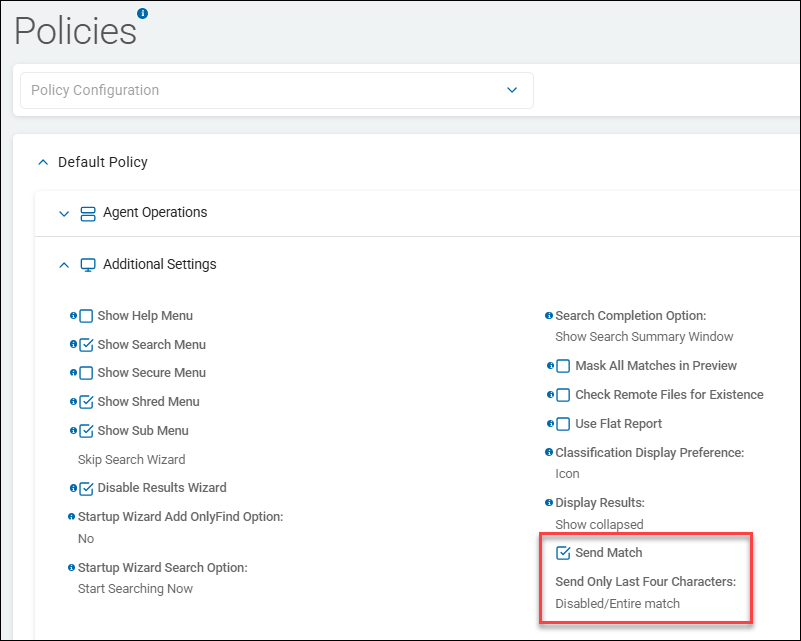
The setting "Send Only Last Four Characters" ensures the sensitive data match string returned to the console search results is partially masked.
Options include:
- Disabled/Entire match - Default. The Agent sends the entire sensitive data match string to the console. This exposes sensitive data - PII, SPI, ePHI, etc. - to the console user. Not recommended.
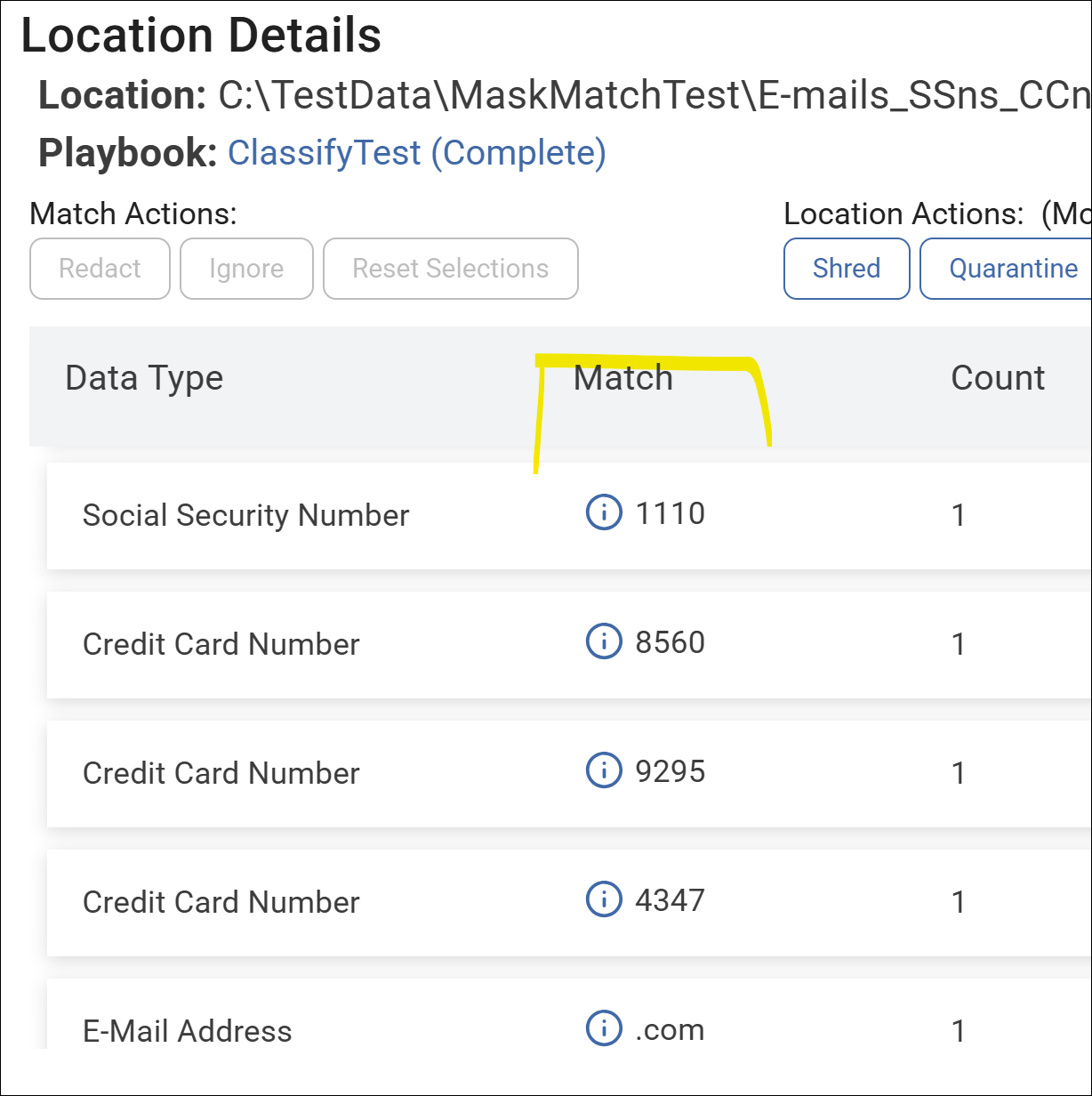
- Last four only - The Agent sends only the last 4 characters of the sensitive data match string to the console.
- For the Social Security number "005-75-0006," only the characters "0006" would be visible the console user.
- If the match string is 4 characters or less, Agents send all characters to the console.
- Last four only (and first six for CCNs) - For all sensitive data matches except credit cards, the Agent sends only the last 4 characters of the sensitive data match string to the console.
- If the match string is 4 characters or less, Agents send all characters to the console.
- For credit card numbers the Agent sends both the last four characters AND the first 6 characters - separated by an asterisk - to the console.
- For example: In the Credit Card number "3141592653589793," only the characters "314159*9793" would be visible to the console user.