
FAQ: What to do when an agent will not start the discovery team scan?
In Spirion Sensitive Data Platform you may notice an Agent does not join the Discovery Team scan that it has been assigned to. The solution to that problem is provided in this article.
In Spirion Sensitive Data Platform you may notice an Agent does not join the Discovery Team scan that it has been assigned to. See the screenshot below.
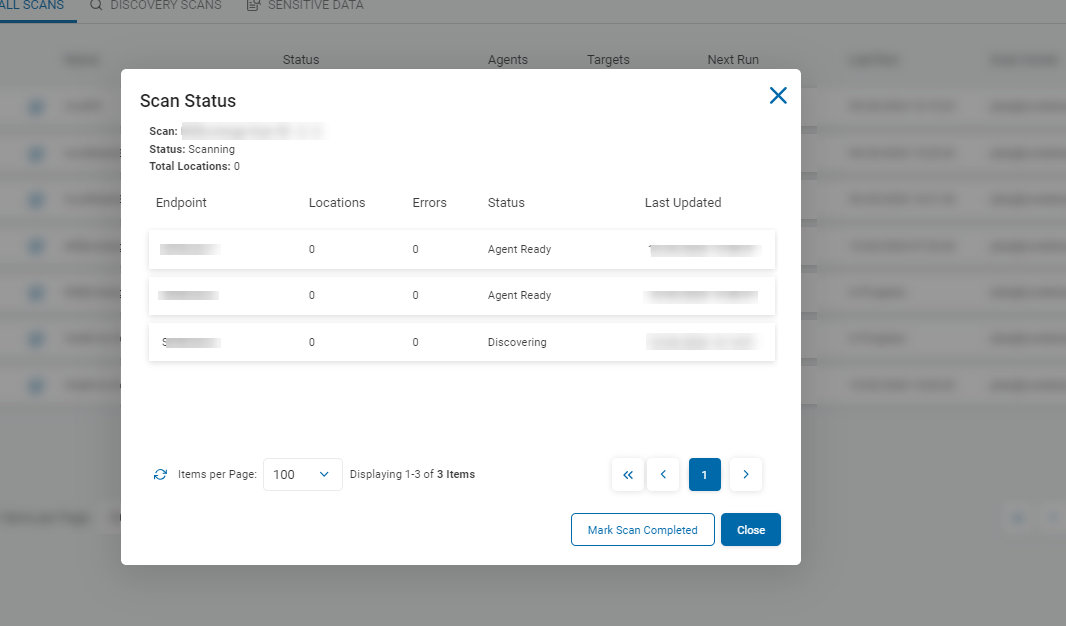
The most likely cause of this problem is that files are in the directory IDFTempDir.
- Both before and after scans, an Agent will attempt to clean out IDFTempDir.
- If, for some reason, files were left behind in that location, the agent will attempt to clean out that area before joining the discovery scan.
To get the Agent to rejoin the scan, simply clean out IDFTempDir using the script below or else manually delete the files.
- Operators may have to restart the service IDFEndpointService in the Windows Task Manager to clean out all files.
- IDFTempDir can be found at the following location, by default: C:/Windows/Temp/IDFTempDir