How to Delete a Tag
This topic describes how to delete a Tag from the Tag Management page.
Note: In addition to deleting a tag, you can also remove a Target/Asset/Agent from a Tag without deleting the Tag.
How to Delete a Tag
To delete a Tag use the following steps:
- Navigate to the Tag Management page. Select Data Asset Inventory > Tag Management.
- From the Tag list, locate and select the tag you want to delete.
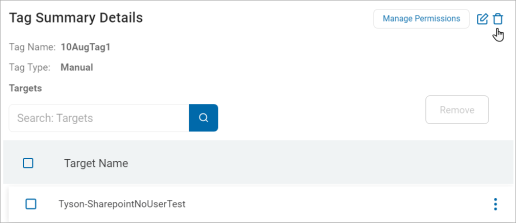
- Within the Tag Summary Details section, click the delete icon.
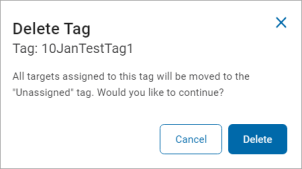
- In the Delete Tag pop-up window, click Delete to confirm deletion or Cancel to discard.