
Example: Optimize a SQL Database Scan
In the Scan Wizard of Spirion Sensitive Data Platform (SDP), the "Select SQL Advanced Options" page enables you to fine-tune how the Agent interacts with a database to ensure the scan is both thorough and performant without overwhelming the database server.
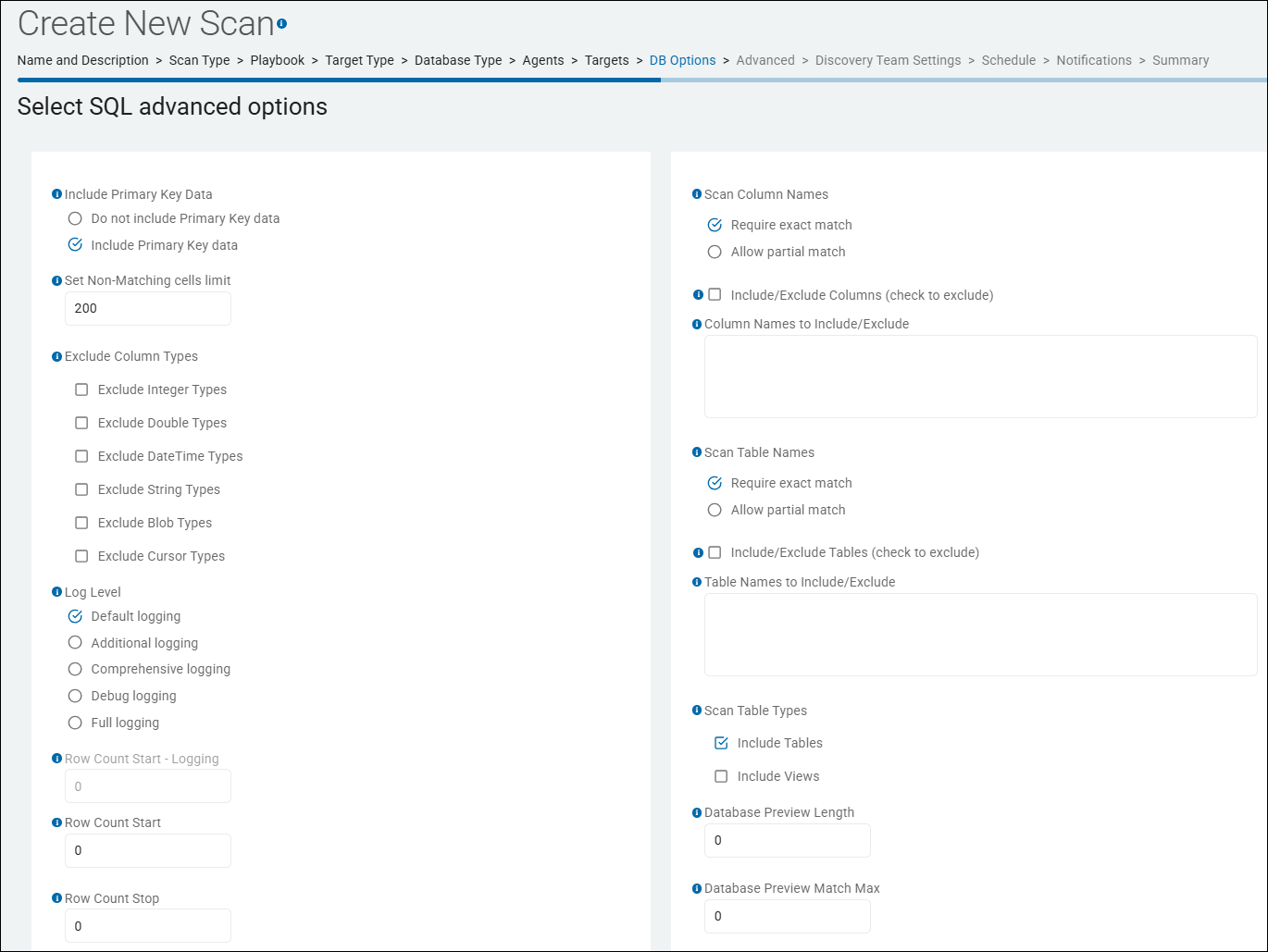
Example: Optimizing a Scan for a Large Production SQL Server
Imagine you need to scan a production Customer Relationship Management (CRM) database that contains millions of rows and is actively used by your sales team during business hours.
To optimize this scan, we configure the SQL Advanced Options as follows:
1. Set Non-Matching cells limit
- Setting: 50-100
- Optimization: This setting tells the Spirion agent how many consecutive "non-matching" columns it should inspect in a single database row before it decides that the rest of that row is likely "clean" and skips to the next record. For "Sparse" Tables: in many databases, there are dozens of columns for system metadata, timestamps, or boolean flags (True/False) that will never contain sensitive data such as a Social Security Number or Credit Card number. This setting prevents the Agent from wasting CPU cycles on those irrelevant columns.
- Why: Database tables can be extremely "wide" (hundreds of columns). Often, sensitive data (like PII or PHI) is concentrated in specific areas (for example, FirstName, LastName, SSN). Scanning a database with millions of rows is time-consuming. Reducing the number of columns scanned per row can increase the "Rows Per Second" (RPS) processing speed by 2x or 3x. By skipping columns, the Agent may reduce the amount of data it needs to pull from the database server, lowering the impact on the network and the database's own performance.
2. Exclude Column Types
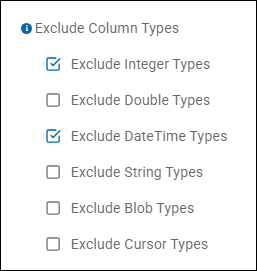
- Settings: Instruct the Spirion Windows Agent to ignore ALL Integer and DateTime types. Under "Exclude Column Types" enable (check) the options "Exclude Integer Types," and "Exclude DateTime Types." See the image below
- Optimization: The Agent will completely ignore these column types during the scan.
- Why: Sensitive data like SSNs, Credit Card numbers, and PII are almost always stored as Strings. Scanning Integers (which are usually IDs or counts) and DateTimes (which are usually timestamps) is computationally expensive and rarely yields valid findings. Excluding these types reduces the total volume of data the Agent has to process.
3. Column Exclusions (Skip Known Safe Columns)
- Settings
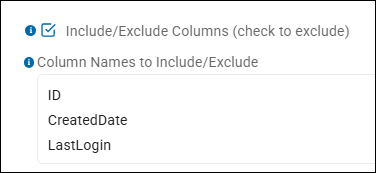
- Enable (check) the option "Include/Exclude Columns (check to exclude)"
- In the option "Column Names to Include/Exclude enter "
ID,CreatedDate, andLastLogin", one per line. - To instruct the Spirion Windows Agent to ignore ALL integer and DateTime types, under "Exclude Column Types" enable (check) the options "Exclude Integer Types," and "Exclude DateTime Types." See the image below
- Optimization: The Agent will completely ignore these columns during the scan.
- Why: You already know these columns only contain system-generated integers or dates. Skipping them reduces the amount of data the Agent has to process and prevents potential false positives.
4. Row Sampling (Limit Rows per Table)
- Setting: Set "Row Count Stop" to 10,000. (Row Count Start is left at its default value of '0'.
- Optimization: Instead of scanning all 50 million rows in the
Transactionstable, Spirion will scan only the first 10,000. - Why: In most databases, if a column contains sensitive data (like Credit Card Numbers), it is present in nearly every row. Scanning a representative sample is often enough to identify the risk without the performance hit of a full table scan.
5. Scan Table Types
- Setting: Exclude scanning Views by disabling (unchecking) the option "Include Views" under "Scan Table Types."
- Optimization: The Agent will scan only physical tables, not virtual views.
- Why: Views are often just joins of existing tables. Scanning them can result in "double-counting" the same sensitive data and can be much slower than scanning the underlying tables directly. Because a View is a query, the database must execute that query and generate the results in real-time for the Spirion Agent to inspect. If the View is complex (involving many joins or calculations), it can put a heavy load on the database server.
6. Database Preview Length & Match Max
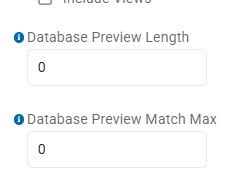
- Setting: 0 (Disabled)
- Optimization: Keep both of these settings these at 0.
- Why: These settings are used to pull "snippets" of data for evidence. While helpful for validation, generating and shipping these previews adds overhead to the scan and the result-shipping pipeline. For maximum performance, leave them disabled.
7. Log Level
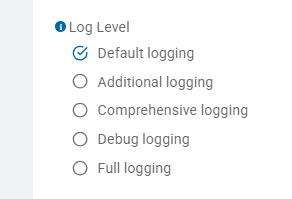
- Current Setting: Default logging
- Optimization: Ensure this is NOT set to "Debug" or "Full logging." High log levels write significantly more data to the Agent's local disk, which can create an I/O bottleneck during high-speed database scans. "Default logging" is the correct choice for production performance.
Summary of the Optimized Setup
Setting | Value | Impact |
|---|---|---|
Set Non-Matching cells limit | 50-100 | By skipping columns, the Agent may reduce the amount of data it needs to pull from the database server, lowering the impact on the network and the database's own performance. |
Exclude Column Types | Exclude Integer Types Exclude DateTime Types | Excluding these types reduces the total volume of data the Agent has to process. |
Include/Exclude Columns |
| Focuses the Agent only on "high-risk" text and string columns. |
Row Count Stop | 10,000 | Drastically reduces scan time while maintaining high discovery accuracy. |
Scan Table Types | Tabel Views Excluded | Prevents redundant results and complex, slow join queries. |
Database Preview Length and Match | 0 | For maximum performance, leave them disabled. |
Log Level | Default | High log levels write significantly more data to the Agent's local disk, which can create an I/O bottleneck during high-speed database scans. |
By using these SQL Advanced Options, you transform a potentially disruptive "all-day" database scan into a lightweight, targeted "15-minute" audit that provides the same level of risk visibility.