How do I Integrate NC Protect with Spirion Sensitive Data Platform or Sensitive Data Manager?
Spirion’s Privacy-Grade™ data discovery and persistent, context-rich classification accurately identify personal, sensitive, and regulated data across endpoints, file shares, databases, and cloud repositories, including content that Microsoft Purview alone does not reach.
archTIS NC Protect for Microsoft 365 enforces dynamic, attribute-based access control (ABAC) and data-centric protection at the file level inside Microsoft 365:
- Secure read-only access
- Dynamic user-based watermarks
- Encryption
- Sharing controls
- Secure document libraries in Teams
- Zero-footprint Secure Reader
Together, Spirion and NC Protect close the loop.
- Spirion discovers and classifies
- NC Protect enforces in real time.
- Spirion’s classifications become ABAC attributes that can be used by NC Protect ABAC policies to control file access, usage and sharing via 4 integration channels.
Spirion and NC Protect are both archTIS data-centric security products.
Spirion Products: Sensitive Data Manager and Sensitive Data Platform
Other Products: NC Protect for Microsoft 365 v8.7 and v9.0
Released: 05/26/2026
Integration Guide: NC Protect + Spirion Integration Guide
Note: The complete integration guide has been merged into the SDP embedded help system. Ask questions of the integration guide using the embedded AI, available from the widget in the lower right corner of Spirion Sensitive Data Platform.
High-level Concept Example
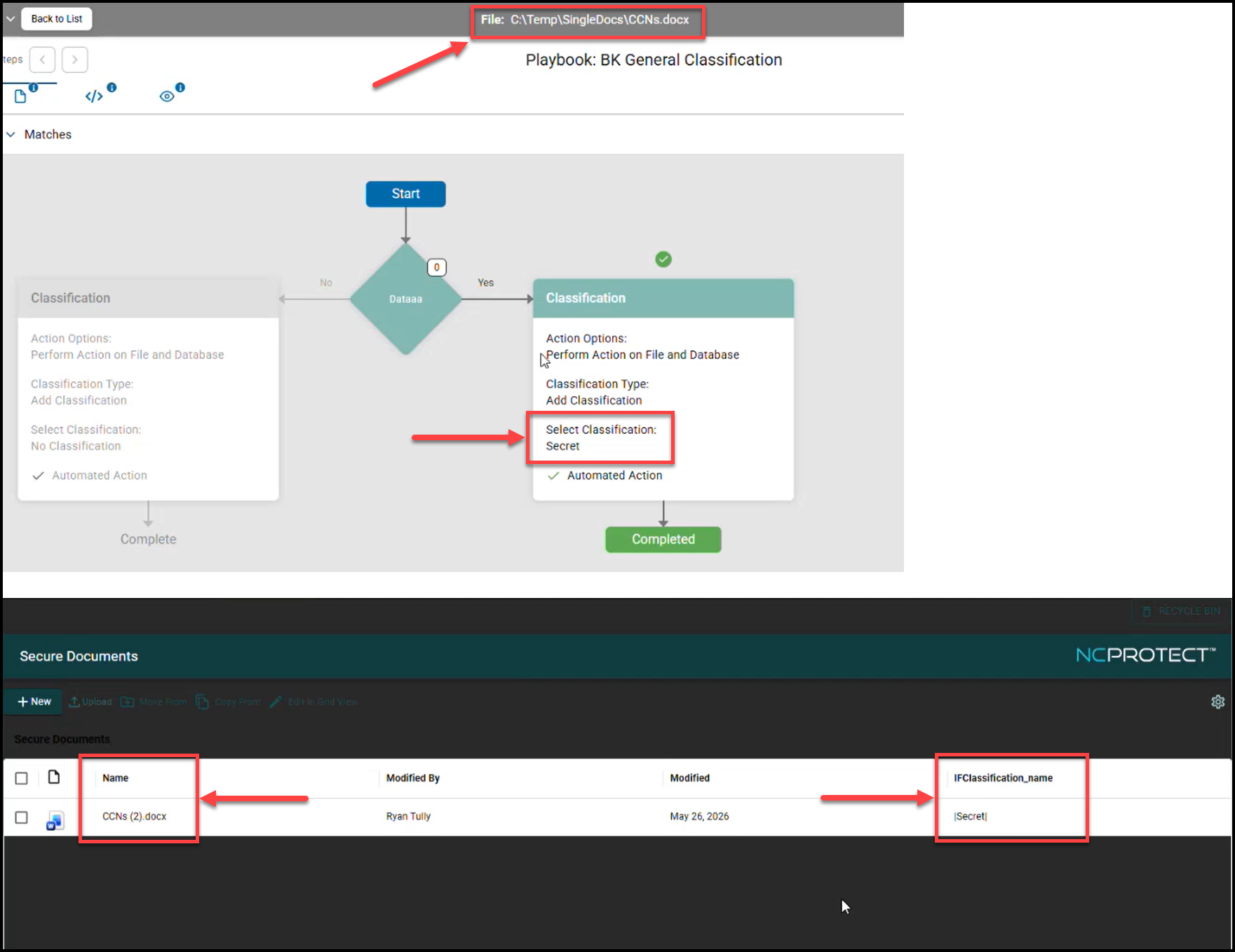
- A file scanned by Spirion Sensitive Data Platform, CCNs.docx, contains sensitive data.
- In the screensot below you can see the scanned file CCNs.docx has the "Secret" classification applied via Scan Playbook in Spirion Sensitive Data Platform.
- This file is imported into NC Protect (further below in the screenshot) where its classification is respected and displayed in the Secure Documents Library (SDL).
- NC Protect can now apply more actions to this file.