
How to Edit a Tag
This topic describes how to edit a Tag from the Tag Management page.
Edit a Tag
To edit a Tag use the following steps:
- Navigate to the Tag Management page. Select "Data Asset Inventory > Tag Management."
- From the Tag list, locate a tag you want to edit.
- In the Tag Summary Details section, click the edit icon.
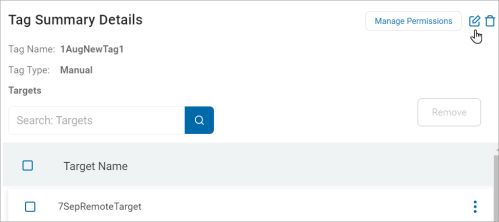
- Make changes to any of the following:
- Tag Name: Enter a new tag name.
- Tag Type: Select an option from the drop-down list.
- IP Range: Delete the existing text and type a new range.
- Manual:
- Conditional: Delete existing conditions and input new conditions.
- Tag Placement: Select an option from the drop-down list:
- Set as a High Level Tag or Nest Tag
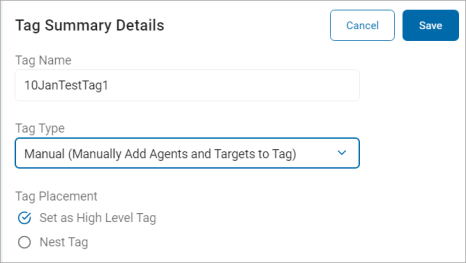
- Set as a High Level Tag or Nest Tag
- Click Save to save or Cancel to discard.