
What is an Asset?
An Asset or Data Asset is a location, local, or remote (such as cloud-based), that contains Targets (a Target is any data location inside an Asset that Spirion Sensitive Data Platform can scan).
- For example, an SQL server (Asset) with multiple SQL Databases hosted on it (Targets)
A location can be both an Asset and a Target.
- For example, a workstation (Asset and single Target)
Overview
The Data Assets and Targets screen is where you can view and manage Assets (and Targets).
Assets are generally categorized by the type of repository they represent. Here are the most common examples:
Endpoints (User Devices)
These are the most common assets in a typical deployment.
- Windows Laptops/Desktops: Employee workstations where local files, browser caches, and Outlook PSTs reside.
- macOS Devices: Apple laptops and desktops used within the organization.
- Virtual Desktops (VDI): Non-persistent or persistent virtual instances (e.g., Citrix or VMware Horizon).
Cloud & SaaS Repositories
These are "non-local" assets where data is stored in third-party cloud ecosystems.
Locations, physical or cloud, that contain Targets.
- Microsoft 365: Including OneDrive for Business, SharePoint Online, and Microsoft Teams.
- Google Workspace: Including Google Drive and Gmail.
- Box / Dropbox: Corporate cloud storage accounts that you maintain.
- Amazon S3: Cloud "buckets" used for application storage or backups.
File Storage (Unstructured Data)
These assets represent centralized locations where documents accumulate over time.
- Windows File Servers: Traditional on-premises servers hosting department shares (e.g., the
S:orH:drives). - Network Attached Storage (NAS): Devices like NetApp or Dell EMC Isilon, often scanned via SMB/CIFS or NFS.
- Linux/Unix Servers: Servers hosting web content, application data, or configuration files.
Databases (Structured Data)
These assets require specific connectors (ODBC/OLEDB) to scan tables and columns.
- Microsoft SQL Server (MSSQL)
- A SQL Server hosted on-premise at your business
- Oracle Database
- MySQL / PostgreSQL
- Snowflake: Cloud-based data warehousing.
Email Systems
Assets where communication-based sensitive data (and attachments) reside.
- Exchange Online (M365): Cloud-hosted mailboxes.
- Exchange On-Premises: Local mail servers.
- Gmail: Corporate Google Mail accounts.
Collaboration & Application Tools
- Slack: Scanning messages and file uploads within channels.
- Salesforce: Scanning objects and attachments within the CRM.
- Jira / Confluence: Scanning tickets and documentation pages.
Targets
- Any data locations within an Asset that Spirion Sensitive Data Platform can scan.
- They can be in a “physical” box that can be scanned or in a cloud Asset that contains data.
- Examples:
- Targets in Local Assets: SQL Databases on a local SQL server
- Targets in Cloud Assets:
- Databases on Amazon S3, Azure Blob, Bitbucket, Google Drive
- File Directories in SharePoint
- Targets in Email:
- Exchange On-Prem email which is housed on a local server
- Exchange Online email which is housed in the cloud
- Asset/Target Examples:
- An SQL server (Asset) with multiple SQL Databases hosted on it (Targets)
- A SharePoint Online instance (Asset) with multiple sites (Targets)
- A Workstation (Asset and single Target), or a Azure Data lake (Asset that can’t be scanned)
Asset Management
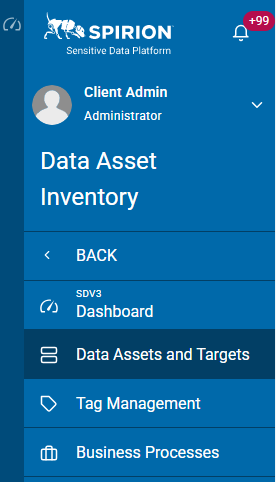
Assets can be created, viewed, searched for, and managed on the Data Assets and Targets screen, under Data Asset Inventory in the left navigation:
Assets
The ASSETS tab displays in a table with these column headings:
- Asset Name
- Asset Type
- Admin Department
- Asset Owner
- Hosting Location
- Status
- SDV3 Risk
- More options 3 vertical dots
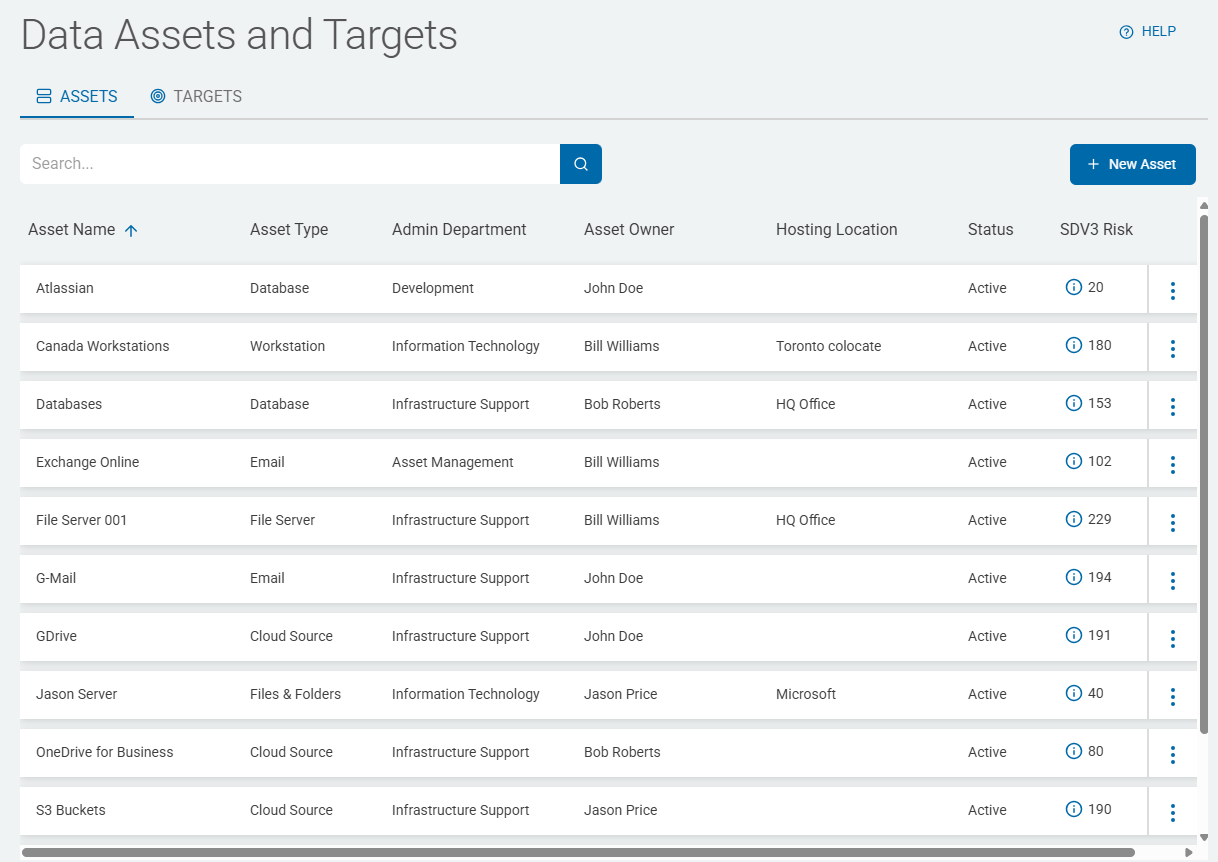
The Asset information in the table is automatically populated by the Scan history.
- For examples and more information, see Working with Data Assets and Targets.
Architectural Distinction
When managing these assets in the console, it is important to remember the Trust Boundary:
- For Endpoints and File Shares: The "Asset" is usually the machine where the Search Agent is installed or the share it can reach over the local network.
- For Cloud/SaaS (M365, S3, etc.): The "Asset" is defined in the console as a Target, and you assign a "worker" agent to reach out and scan it via API or tokens.
How Assets are Organized
In the Spirion Sensitive Data Platform console, you often see these assets organized into Target Groups or Tags (for example, "Finance Servers," "Executive Laptops," or "Production Databases"). This enables you to apply different Scan Policies to different groups of assets based on their risk profile.
Summary
Assets in Spirion range from individual user laptops and on-prem file shares to cloud storage (M365/S3) and structured databases. They are the "where" in the "What, Where, and How" of sensitive data discovery.