What is an Agent?
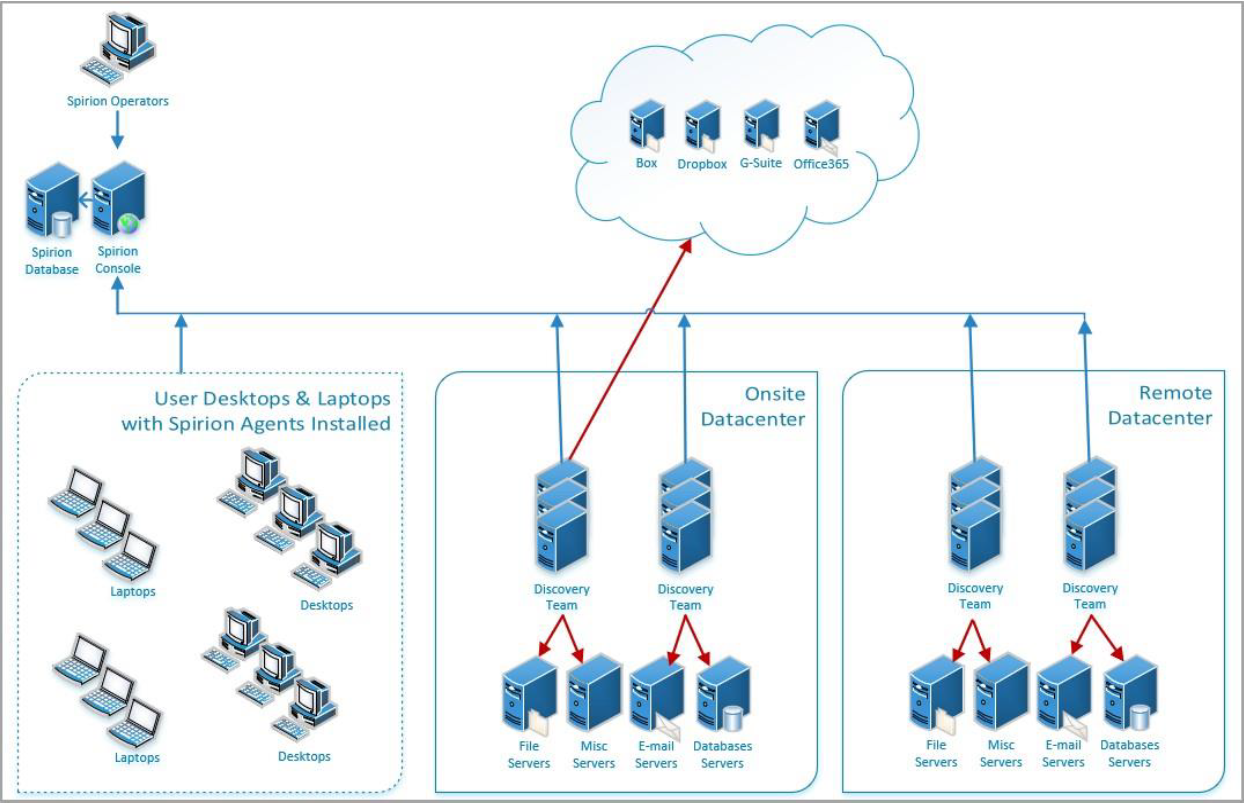
An Agent is an application, installed locally or on a remote VM, which scans and evaluates locations (cloud or local) for sensitive data such as social security numbers, credit card numbers, etc.
Agents operate on behalf of the Spirion Console and send the data they collect back to the Spirion Console to be viewed, analyzed, and acted upon (classified, redacted, quarantined, etc.) by Spirion users.
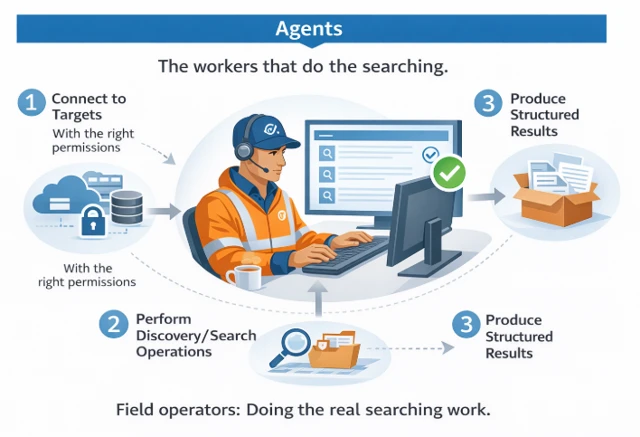
Agents include Discovery Agents which act as a group.
- These Agents may be deployed in large numbers in large environments.
- This is described in more detail below.
Different Agents are used for different machines or data sources:
- One Agent scans SQL databases on a remote SQL server, while another scans OneDrive accounts on a cloud location
- Other Agents scan individual Macbooks or Linux machines
An Agent can be installed on the machine it is scanning or else scan a remote location.
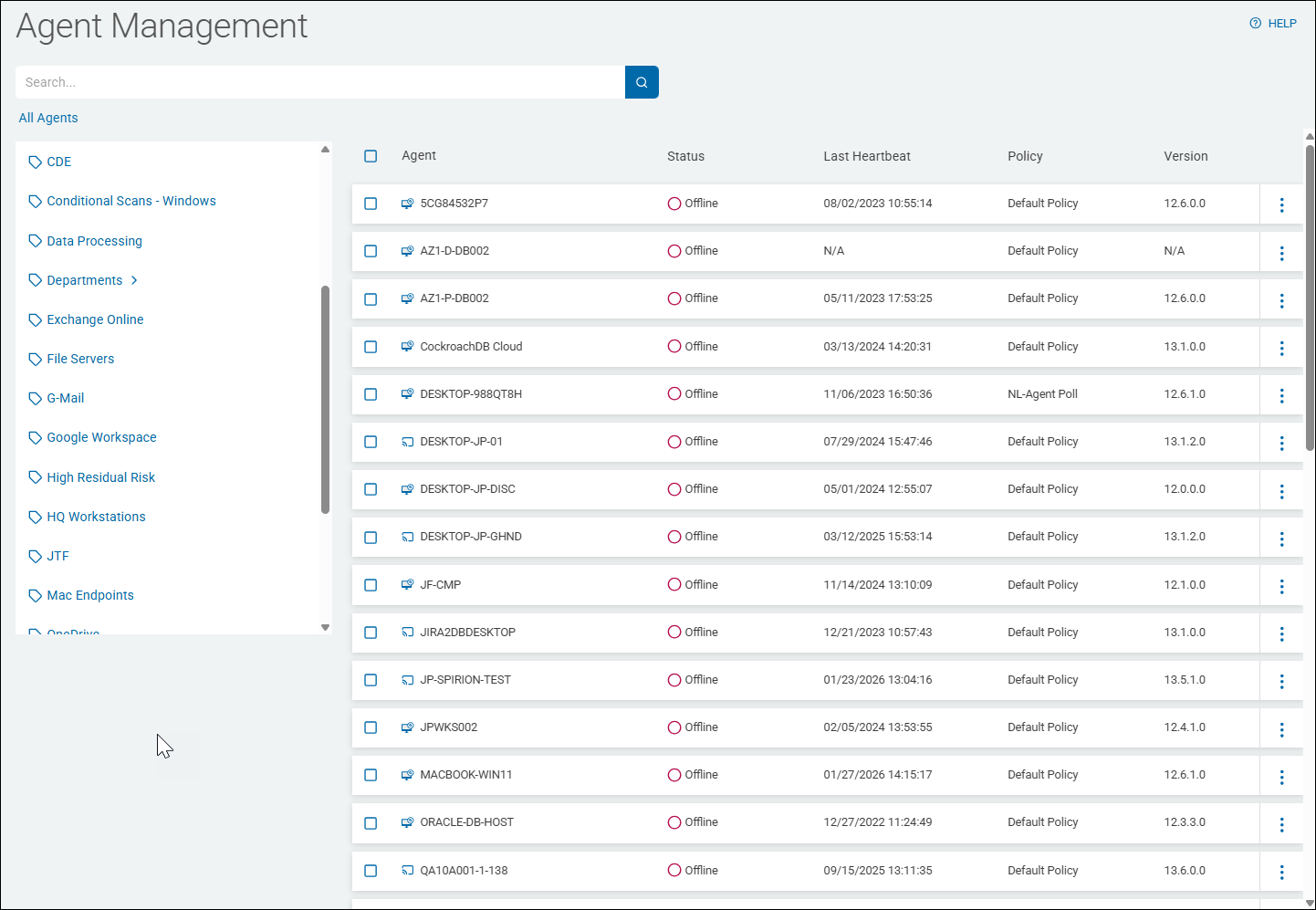
The individual Agents scanning your environment (workstations, laptops, servers, databases, etc.) for sensitive data are found within the Spirion Sensitive Data Platform user interface on the Agent Management page (Agents > Agents).

Windows Agents, Version 13.6
Version 13.6 Windows Agents bring a new queueing system.
- RabbitMQ, used by Agent versions 13 to 13.5 is replaced with PostgreSQL
- Erlang, also used by Agent versions 13 to 13.5 is replaced with pgBouncer, a lightweight connection pooler for PostgreSQL
- The archTIS Spirion Endpoint MSI installation wizard uninstalls both RabbitMQ and Erlang, and all related data, as part of the installation of archTIS Spirion Endpoint v13.6
- For more information, see How to Create the MSI Installation Package
When and How to Use Agents
- Agents are managed from the Agent Management page.
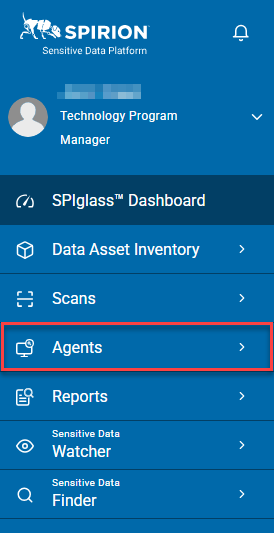
- To navigate to the Agent Management page, from the left side navigation menu select Agents.
- 1 or more Agents can be collected into a single Agent Tag.
- Tags are managed from the Tag Management page (Data Asset Inventory>Tag Management from the home screen)
You can perform the following actions with Agents:
- View Agents
- View Agent names, status, last heartbeat, policy
- Assign Policies to Agents
- Remove Agents
- Manage Agent Tags
- Bulk Assign Tags to Agents
- Bulk Assign Policies to Agents
Function and Purpose
- Location: Agents are installed either locally or remotely on a VM
- Function: Agents evaluate and scan locations (such as OneDrive, SQL servers, laptops, etc.) for sensitive data.
- Agents perform their scanning and evaluation function by following an Agent Policy.
- An Agent Policy is a set of rules for the Agent to follow.
- For more on creating and working with policies, see Working with Policies
- Agents are typically installed on a Windows, Mac or Linux desktop, server, or virtual machine (VM).
- Agents installed on a single desktop (to scan that individual desktop), act as both an Agent and a Target. For more information about Targets, see What is a Target?
- Agents do the actual scanning of the source system files.
- Agents connect to the source or Target (OneDrive, SharePoint, box, etc.) to be scanned and access the files and their contents.
- Multiple agents scan the same source, in parallel, each agent scanning a separate file at a time
- Agent Scanning:
- Agents act in tandem
- One Agent acts as a "discovery Agent," and discovers the files to be scanned in the source system
- One or more additional "search Agents" scan the source system files for sensitive data.
- The more Agents you run, the faster your data is scanned
- Each Agent can scan approximately 1.8 GB of data per hour or 40-75 GB of data per day (24 hours)
- A Discovery Team is composed of a minimum of 3 Agents
- Spirion recommends running a minimum of 10 Agents for speed and efficiency
- The first initial scan of your source systems can take several weeks
- Follow-up scans can be completed in a day or less as Sensitive Data Platform scans only those files that have a changed state (see Differential Scanning)
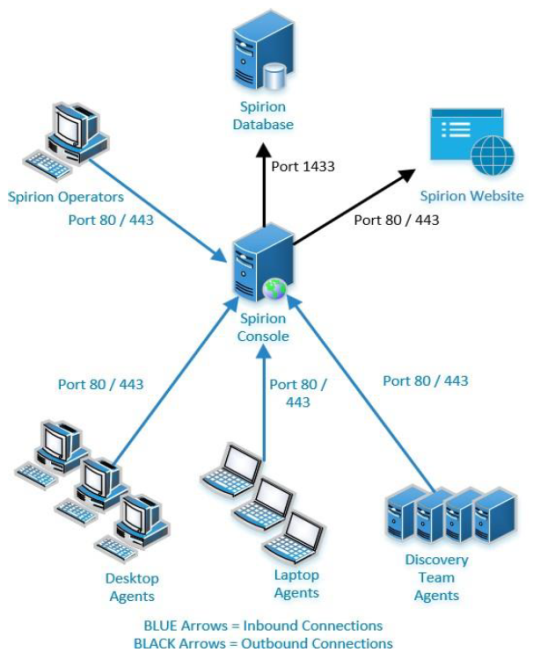
Example: 10 Agent Deployment
There can be 10 agents configured in a single scan, scanning a single source or Target (OneDrive, Google Drive, remote machine, local machines, Oracle, etc.).
- One of those 10 agents is designated as the "discovery" agent
- The role of this agent is to enumerate through the source to find all files that will need to be scanned.
- While enumerating through the source, the discovery agent is adding all of those files to a job queue (Managed by PostgreSQL (v13.6+) or RabbitMQ (v13-13.5).
- The other 9 agents participate in the scan, now designated as "search" agents
- These agents:
- Act in parallel for speed and efficiency
- Access the job queue on the discovery agent machine
- Pull the next job in line, which contains all of the info about the files each must scan.
- Each of the search agents pull one "job" from the job queue at a time
- Each of the search agents only searches the files listed in that job
- All 9 search agents search different files from the same source at the same time.
- There can be multiple agents connecting to and accessing files in a source, but only a single file is scanned by a single agent at a given time.