How to View Details About Data Assets
This topic describes how to view details about your Assets.
Use the following steps to view details about your Assets, such as what Targets your Assets contain, what data types (Social Security numbers, credit card numbers, etc.) your Assets contain, and more:
- From the left side navigation menu, select Data Asset Inventory > Data Assets and Targets.
- The "Data Assets and Targets" page appears.
- Select the ASSETS tab on the top left of the page.
- Locate the Data Asset in the table.
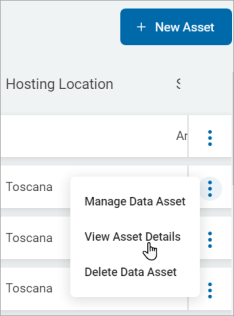
- On the right end of the row for the Data Asset, click the more options menu.
- Click View Asset Details from the sub-menu that appears.
- The Asset Details page appears and displays two tabs:
- DATA CONTENT
- COVERAGE & DATA TYPES
- The DATA CONTENT tab displays a data table.
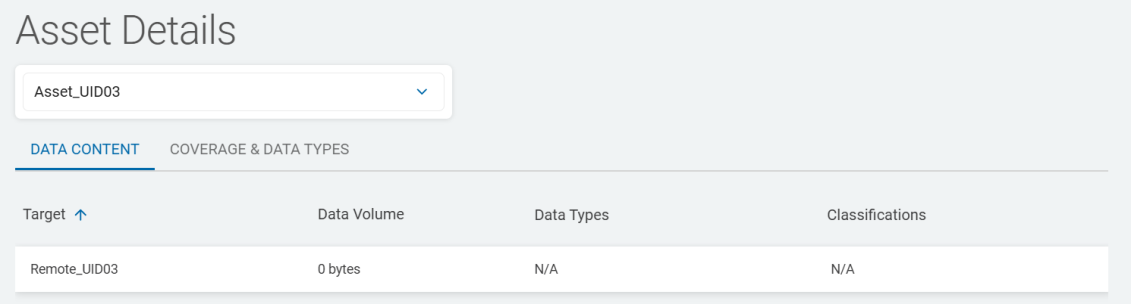
- The data table displays the following columns:
- Target - Targets the Asset contains
- Data Volume - The amount of sensitive data the Target contains
- Data Types - The data types the Target contains.
- Classifications - Any classifications attached to the Target
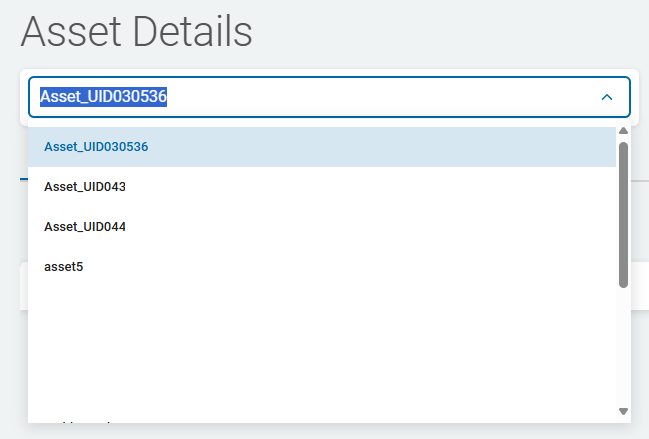
- When you select an asset from the drop-down list, the table is automatically populated.
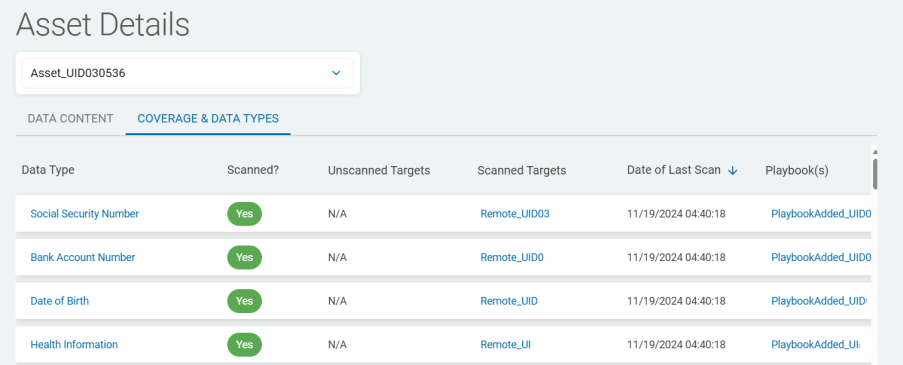
- The COVERAGE & DATA TYPES tab provides scan coverage details about the Targets associated with the asset.
The tab displays the following columns: - Data Type - This column displays all of the available data types. See Global Data Types
- Scanned? - This column indicates whether a scan has been performed on each data type in the table ("Yes" or "No").
- Unscanned Targets - This column shows those Targets the Asset contains that have not been scanned for each data type in the table. Displays "N/A" for scanned Targets.
- Scanned Targets - This column shows the Targets the Asset contains that have been scanned for each data type in the table. Displays "N/A" for unscanned Targets.
- Date of Last Scan - This column displays the date when the Target was last scanned for each data type in the table. Displays "N/A" for unscanned Targets.
- Playbook(s) - This column contains the playbooks (as a link) sensitive data scans have used to scan the Target for each data type in the table. Displays "N/A" for unscanned Targets. More information about scan playbooks.