
Example: Basic CUI Classification Scan Playbook
The FSI CUI playbook is a straightforward automated remediation workflow designed to identify and secure Financial Services Industry (FSI) Controlled Unclassified Information (CUI).
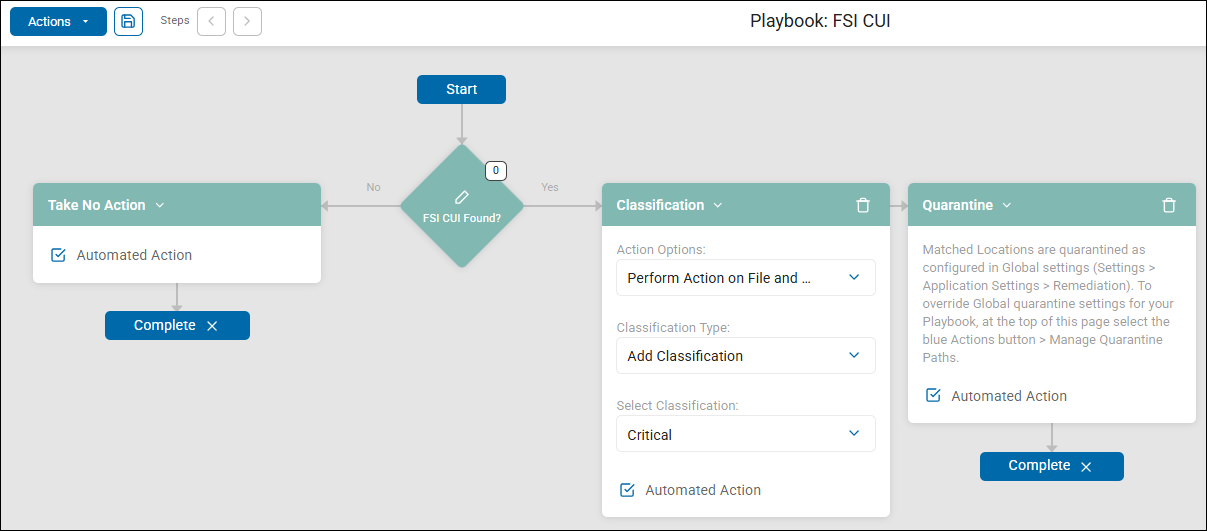
1. Starting Condition & Decision Point
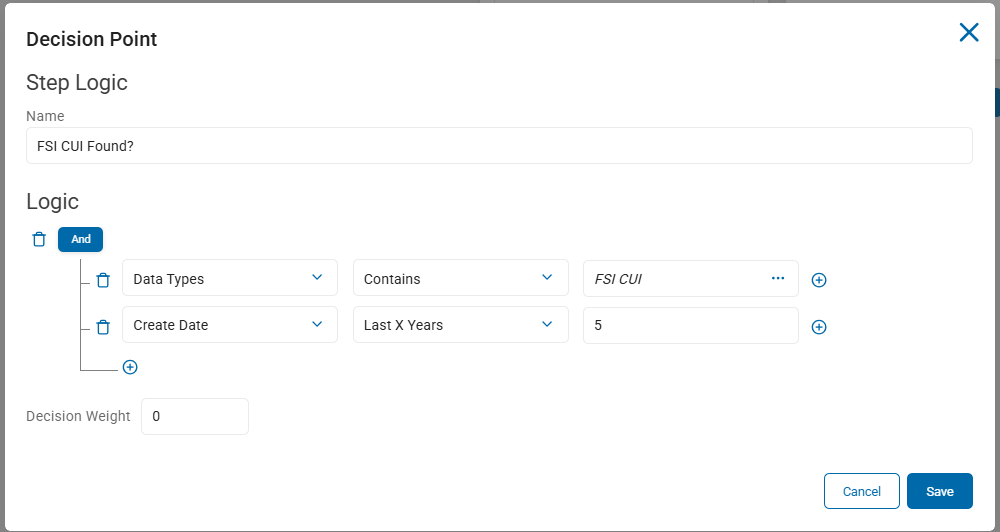
The playbook begins with a single decision block: "FSI CUI Found?".
- This step evaluates two things:
- Whether the data scanned matches the specific definition established for FSI-related Controlled Unclassified Information (see FSI CUI Data Type, below)
- Whether the file scanned was created within the last 5 years
FSI CUI Data Type
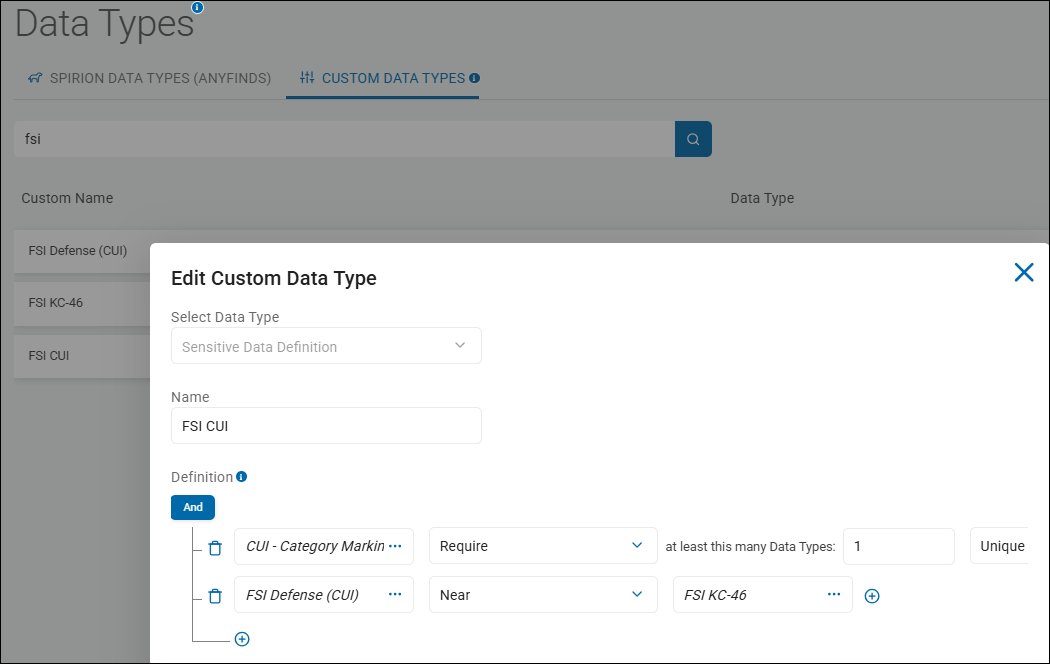
The FSI CUI (Controlled Unclassified Information) is a user created custom data type.
This is a Sensitive Data Definition defined using 2 custom data types combined with an And operator (both custom data types must be present in the scanned file for it to satisfy the decision point and follow the "Yes" path):
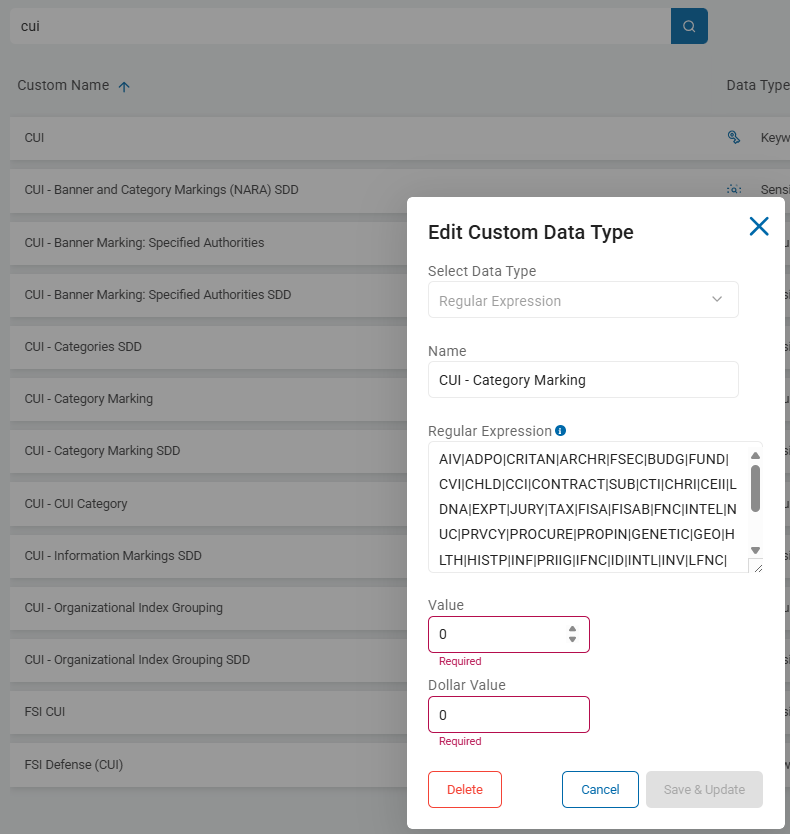
1st line (in screenshot)
- Data Type: "CUI - Category Marking" Regular Expression. See https://regex101.com/ for RegEx tessting and explanation.
- Operator: Require
- Explanation: At least 1 unique instance of the data type "CUI - Category Marking" must be present (is required) in the file being scanned.
2nd line (in screenshot)
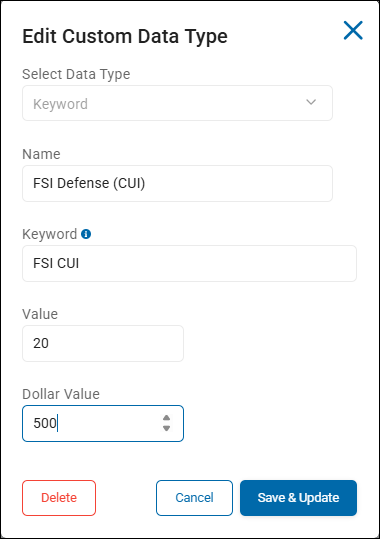
- Data Type: "FSI Defense (CUI)" Keyword
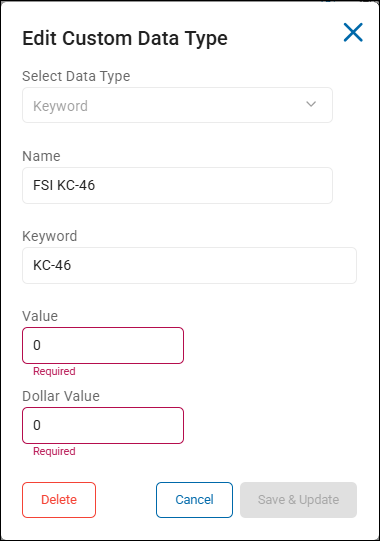
- Data Type: "FSI KC-46" Keyword
- Operator: NEAR
- Explanation: When an instance of the first keyword in the rule is discovered in the file being scanned, it must be NEAR (within 50 characters or less) the second keyword to satisfy this rule.
2. The "No" Path (Negative Finding)
- Action: Take No Action.
- Outcome: If the specific FSI CUI data is not detected, the playbook performs no further steps and moves directly to Complete.
3. The "Yes" Path (Positive Finding)
If FSI CUI is detected, the playbook executes 2 sequential automated actions:
- Step 1: Classification
- Action: Adds a classification label to the file and its metadata.
- Label Applied: "Critical"
- Configuration: This is set as an Automated Action performed on both File and Metadata.
- Step 2: Quarantine
- Action: The matched file is moved to a secure Quarantine location.
- Configuration: The destination is determined by the Global settings (
Settings > Application Settings > Remediation), though it can be overridden within the playbook's "Manage Quarantine Paths" settings. - Outcome: Once the file is moved, the workflow moves to Complete.
Summary of Flow
Procedure:
- Detect: Check for FSI CUI.
- Label: If found, mark the file Critical.
- Isolate: Immediately move the file to Quarantine to remove the risk from its original location.