How to Bulk Export Scan Playbooks
Use the steps in this article to bulk export scan playbooks as a .CSV file.
How to Create a Bulk Export of Scan Playbooks
To export multiple playbooks navigate to the Scan Playbooks page (Scans > Scan Playbooks) and perform the following steps:
- Navigate to the Scan Playbooks page. From the left side navigation menu select Scan > Scan Playbooks.
- Select one or more playbooks from the playbooks list.
- Click Bulk Actions.
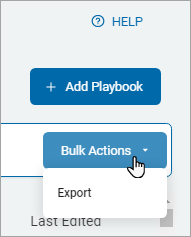
- Click Export.
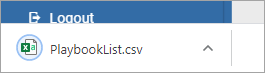
- The playbooks file is downloaded to your local computer.