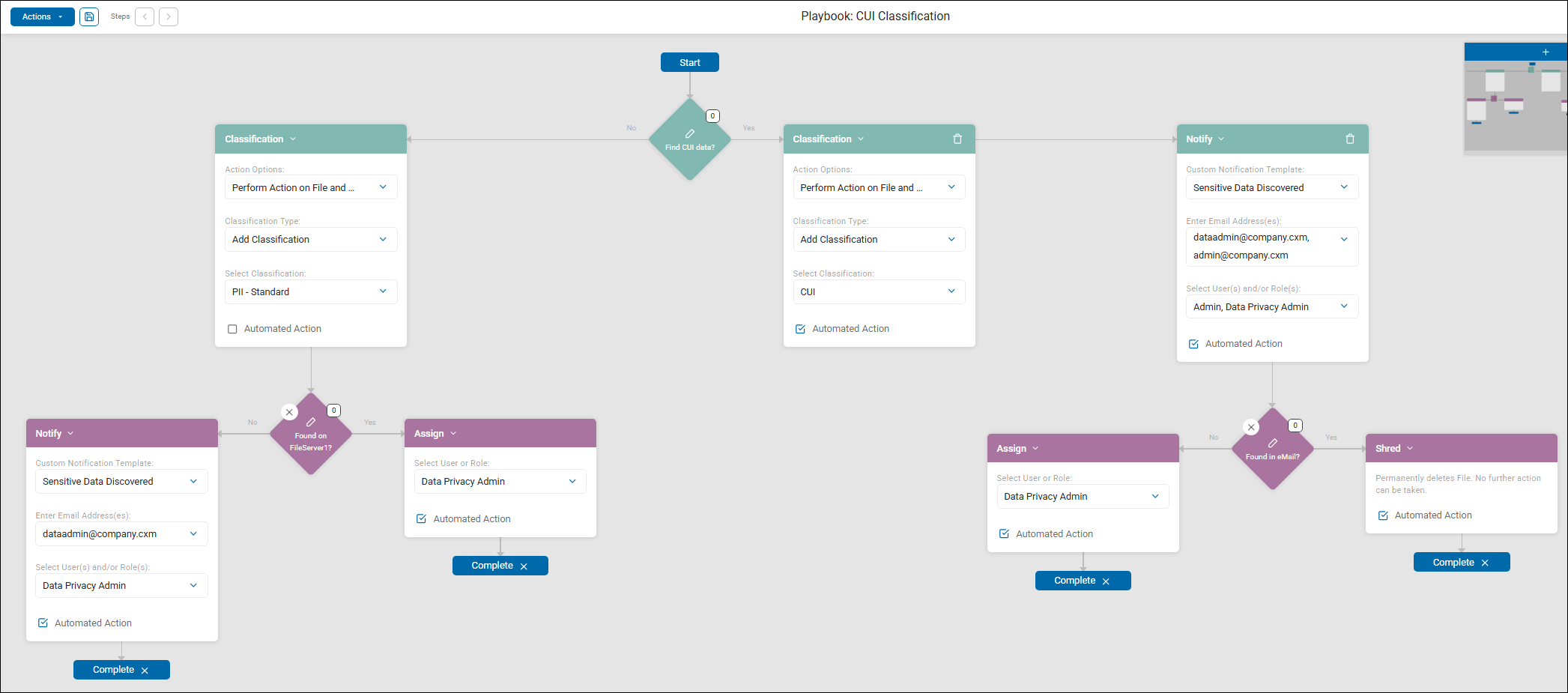
Example: CUI Classification Scan Playbook
This article provides an example of a CUI Classification scan playbook with a multi-stage automated workflow designed to handle Controlled Unclassified Information (CUI) and standard PII based on where the data is discovered.
The above screenshot is an example of a CUI Classification playbook. This is a multi-stage automated workflow designed to handle Controlled Unclassified Information (CUI) and standard PII based on where the data is discovered.
1. Initial Detection Logic
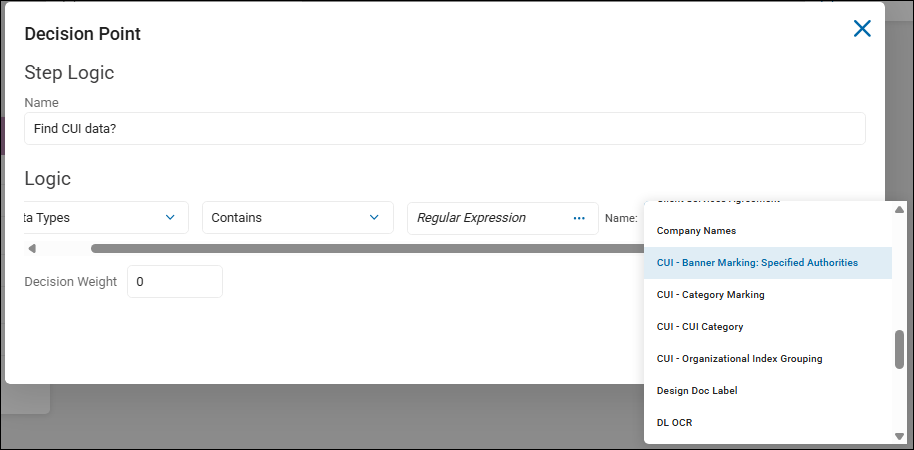
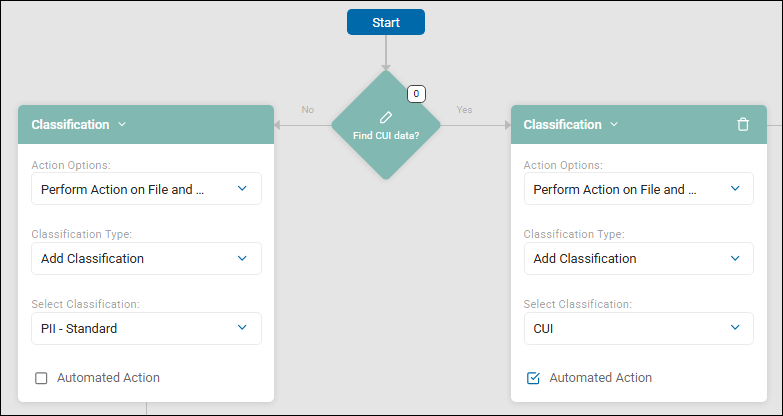
- The playbook starts with a decision point: "Find CUI data?"
- The logic of this decision point asks whether the scanned data contains the Regular Expression "CUI - Banner Marking: Specified Authorities."
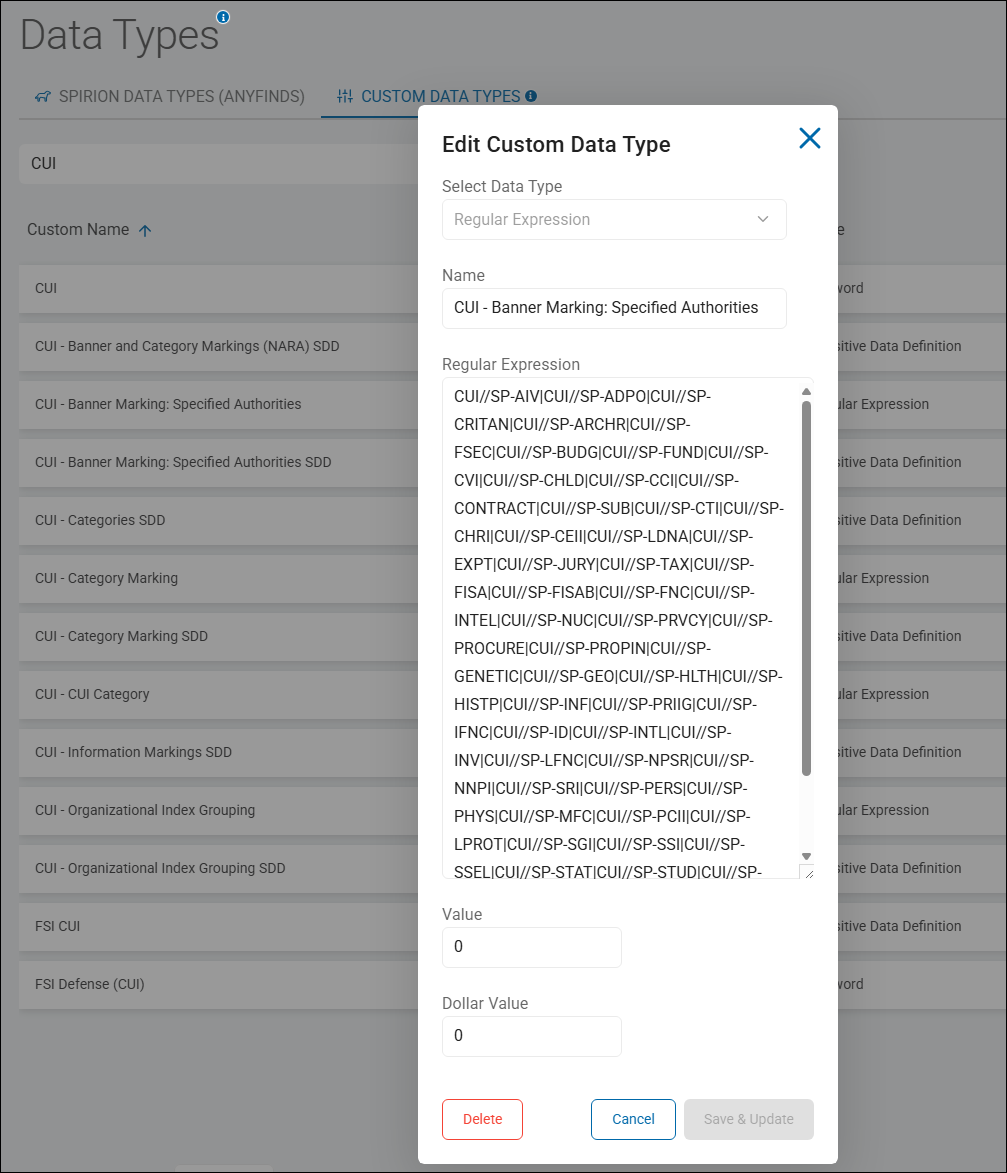
- "CUI - Banner Marking: Specified Authorities" is a custom data type defined in Spirion Sensitive Data Platform as a Regular Expression (RegEx). See the screenshot below.
- "CUI - Banner Marking: Specified Authorities" is a custom data type defined in Spirion Sensitive Data Platform as a Regular Expression (RegEx). See the screenshot below.
- If YES (CUI Path):
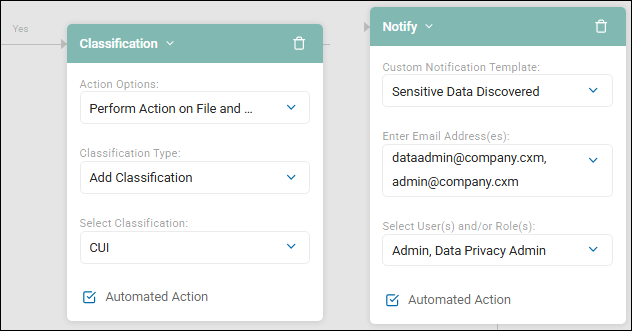
- Classification: Spirion automatically adds the "CUI" classification label to the file and its metadata.
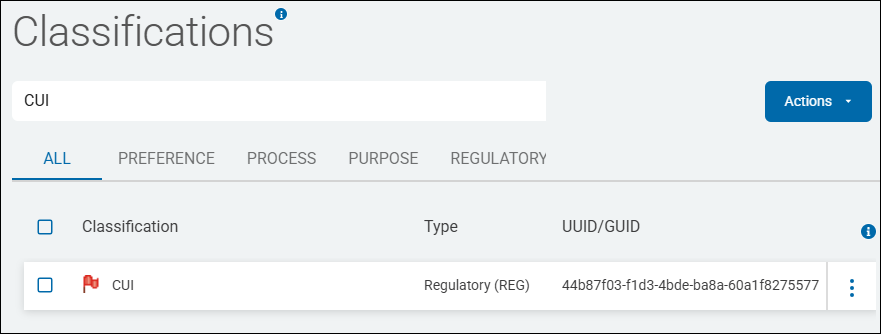
- The CUI classification label is defined under Settings > Global Classifications.
- The CUI classification label is defined under Settings > Global Classifications.
- Notification: Spirion automatically sends an email using the "Sensitive Data Discovered" template to the local Data Administrator (
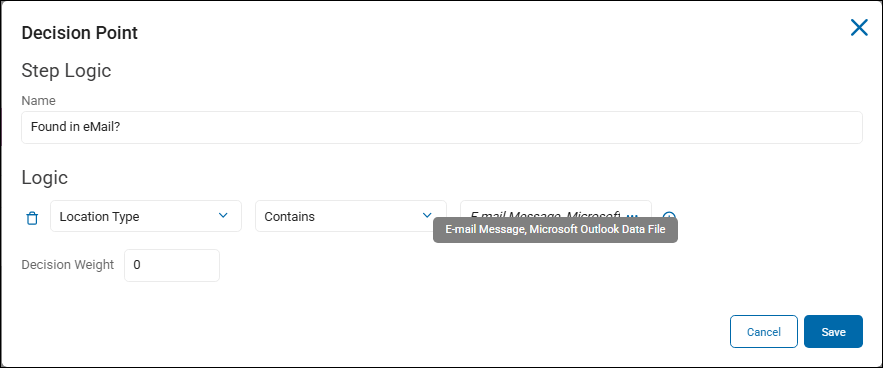
dataadmin@company.cxm) and Administrator (admin@company.cxm). It also notifies any user who is a member of the Admin and Data Privacy Admin roles (defined under Settings>User Management>Users & Roles). - Location Check ("Found in eMail?"):
- If YES: The file is Shredded (permanently deleted).
- If NO: The finding is Assigned to the Data Privacy Admin for manual review.
- Classification: Spirion automatically adds the "CUI" classification label to the file and its metadata.
- If NO (Standard PII Path):
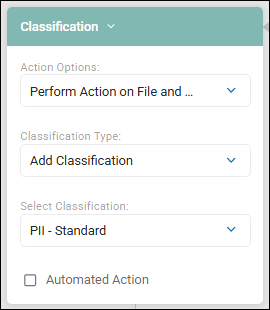
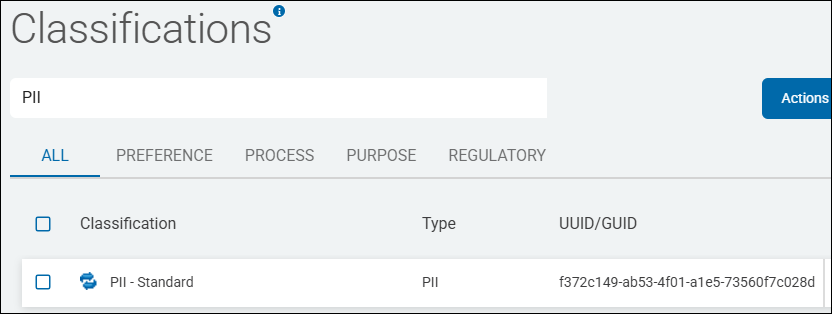
- Classification: Spirion automatically adds the "PII - Standard" classification label to the file.
- The classification label PII - Standard is defined under Settings > Global Classifications.
- The classification label PII - Standard is defined under Settings > Global Classifications.
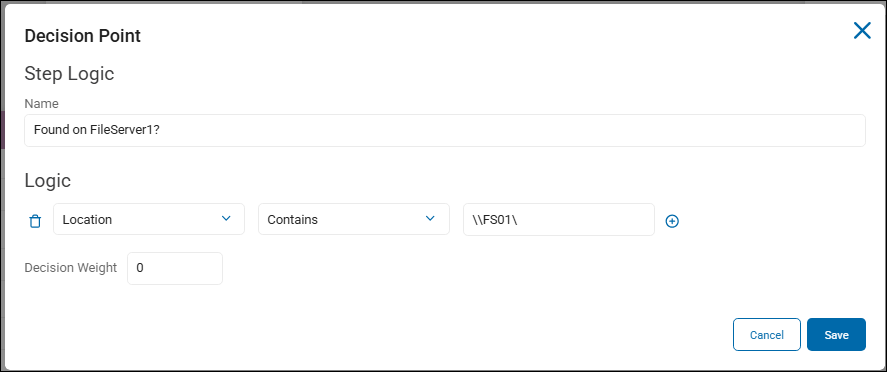
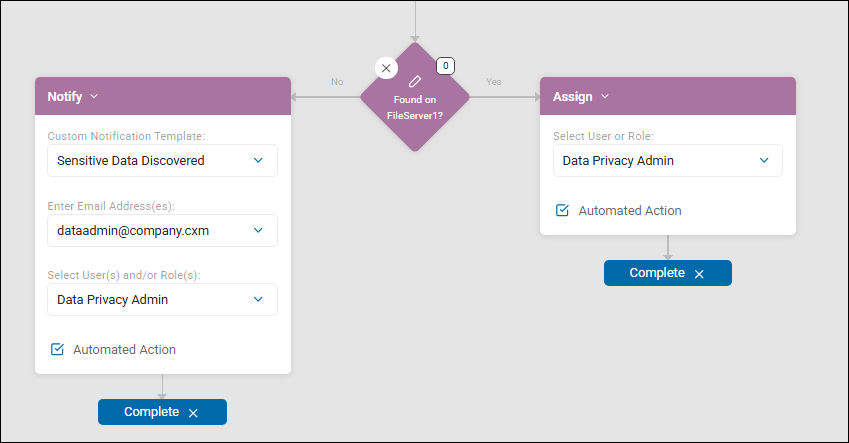
- Location Check ("Found on FileServer1?"):
- If YES: The finding is Assigned to members of the user role Data Privacy Admin.
- If NO: A notification is automatically sent to
dataadmin@company.cxm, and any users who are members of the Data Privacy Admin role, using the template "Sensitive Data Discovered".
- Classification: Spirion automatically adds the "PII - Standard" classification label to the file.
2. Data Types & Target Scope
While the specific SDDs (Sensitive Data Definitions) are encapsulated in the decision diamonds "Find CUI data?" and "Found on FileServer1?", the playbook logic also does the following:
- Data Types: Differentiates between CUI (Controlled Unclassified Information) and Standard PII data types.
- Location Target Scope: Specifically monitors personally identifiable information (PII) in Email systems and CUI on File servers (FileServer1).
3. Remediation Actions Defined
The playbook utilizes 4 distinct types of remediation:
- Classification: Applying "CUI" or "PII - Standard" labels.
- Notification: Alerting administrators and privacy roles via email.
- Assignment: Routing findings to the "Data Privacy Admin" for human intervention.
- Shredding: Automatically deleting CUI data if it is found within an email environment.
Summary of Workflow
This playbook follows a "Zero Tolerance" policy for Controlled Unclassified Information (CUI) in email (Shred), while providing a structured classification and notification path for standard PII and CUI found on authorized file servers.