
How to Delete a User Role
To delete a Role use the following steps:
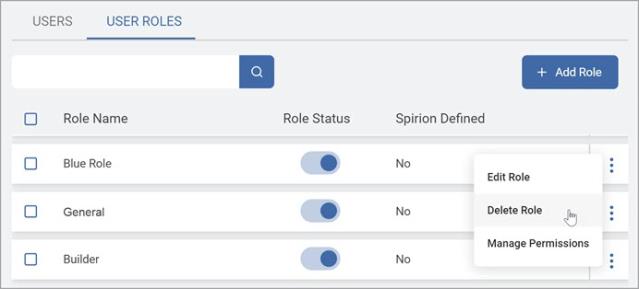
- From the left side navigation menu navigate to the User Management page (Settings > User Management).
- Ensure you are on the USER ROLES tab.
- Locate the Role you want to delete.
- From the kebab menu, select Delete Role.
- In the Delete Role pop-up window, you must select a new role for users currently assigned the role to be deleted.
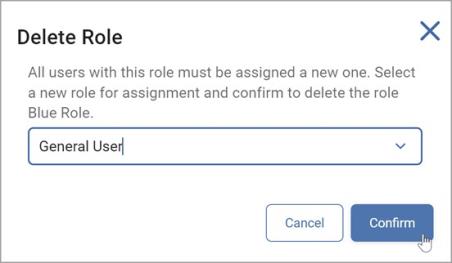
Note: Disabling a role prevents it from being assigned to new users but does not impede the access of currently assigned users. - Click Confirm to save your changes or Cancel to discard.