How to Add a Website Target
This topic describes how to add a website Target to Spirion Sensitive Data Platform.
How to Add a Website Target
To add a new Website Target use the following steps:
- From the left side navigation menu select Data Asset Inventory > Data Assets and Targets.
- The "Data Assets and Targets" page appears.
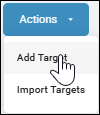
- In the upper right corner of the page, click the blue Actions button and select "Add Target" from the drop-down menu.
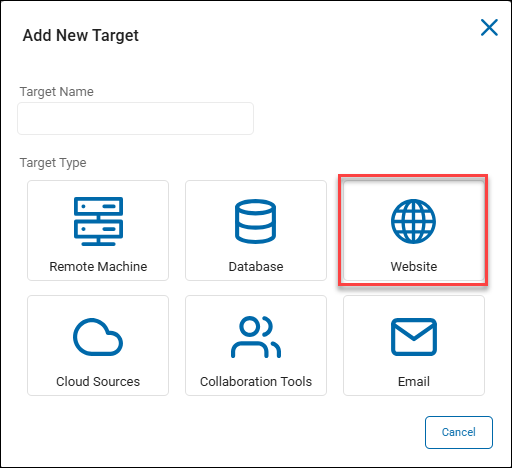
- Target Name: In the "Add New Target" pop-up window, enter the name of the Target in the "Target Name" field. Make the name descriptive by including identifiers such as the website name, hostname, location, department, status, and/or date.
- Click the Website tile to proceed or the Cancel button at the bottom of the window to discard.
- In the "Add New Target: pop-up window, enter the following information:
- Address: Enter the website address.
- Username: Enter the username for the website management.
- Password: Enter the password associated with the username.
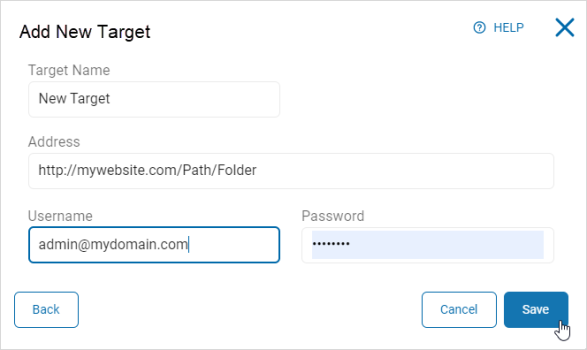
- Click the Save button to save, Cancel button to discard, or Back button to return to the previous screen.