
How to Search for a Scan Playbook
How to Search for a Scan Playbook
You can search for a Playbook by:
- Playbook Name (Rule)
- Description

To search for a Scan Playbook perform the following steps:
- From the left side navigation menu select Scans > Scan Playbooks.
- The "Scan Playbooks" page opens.
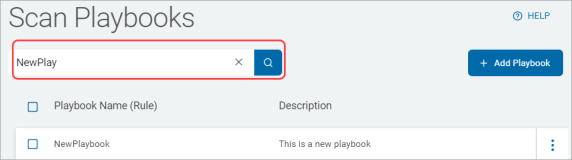
- Enter the search query into the search field and the search results are filtered and displayed in the table below.
- Note: Consider the playbooks you are searching for. Terms such as: QUARANTINE, SHRED, SSN, EXESCRIPT, REDACT, FILE_DB, ASSIGN, NOTIFY, CLASSIFY, AWS, API, etc. are often used when naming playbooks and can help you filter for the correct playbook.
- Note: Consider the playbooks you are searching for. Terms such as: QUARANTINE, SHRED, SSN, EXESCRIPT, REDACT, FILE_DB, ASSIGN, NOTIFY, CLASSIFY, AWS, API, etc. are often used when naming playbooks and can help you filter for the correct playbook.
- Click the x to clear the search term.