How to Remove an Agent
How to Remove an Agent
If you wish to delete an Agent, archTIS recommends you remove the Agent (from its Target) instead.
- Important! If you delete an agent, you cannot simply re-add it later. While it is technically possible to undelete an agent, archTIS strongly recommends you do not delete agents.
- To enable the deleted Agent you must manually open the registry and remove the endpoint ID (ID of the Agent), before Spirion Sensitive Data Platform can create a new one.
- Note: Spirion Sensitive Data Platform cannot merge endpoints (Agents) once they’ve been deleted — the platform treats the new endpoint (Agent) as completely separate.
To remove an Agent (from a Target):
- On the Agent Management page, locate the Agent you want to remove.
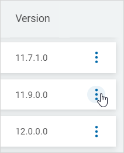
- On the far right of the row, click the more options menu.
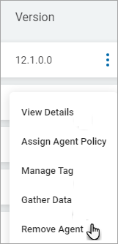
- Click Remove Agent.
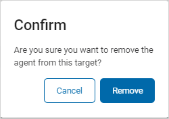
- In the Confirm pop-up window, click Remove to confirm Agent removal or Cancel to discard.