How to Cancel a Report Export
If you are exporting a report, if it is in-progress, you can easily cancel the export from within Spirion Sensitive Data Platform.
Overview
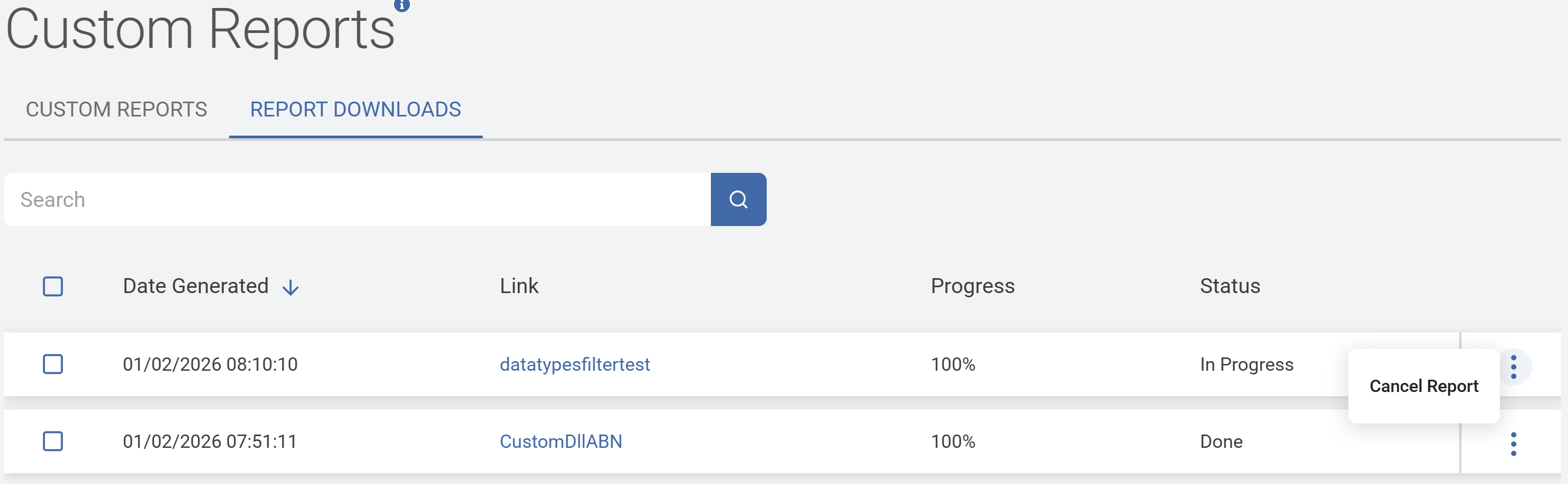
- Reports and their export status are shown on the Custom Reports page on the REPORT DOWNLOADS tab
- Starting in version 13.6.4, if you are exporting a report from Spirion Sensitive Data Platform, you can cancel it at any time during the process
- Reports that have a Status of "Done" cannot be canceled
How to Cancel an in-progress Report Export
Procedure:
- From the left-side navigation menu select Reports > Custom Reports.
- Select the REPORT DOWNLOADS tab.
- If the report Status is shown as "In Progress," select the more options menu at the far right and select "Cancel Report."