What is a Scan Playbook?
For detailed instructions about how to create a Scan Playbook see How to Add a New Scan Playbook.
What is a Scan Playbook?
A Playbook, or Scan Playbook is a sequential set of rules which define what action(s) to take when performing a scan.
Such actions could include referring specific matches discovered by the scan to a specific department for review and remediation.
A Playbook for a Spirion Sensitive Data scans defines:
- The logic for a sensitive data scan to use such as:
- What to do when a sensitive data type such as a Social Security number is found
- What to do when no sensitive data types are found
- Whether to perform actions such as classification on the sensitive data file itself, or on the file's record in the spirion database
- Note: Playbooks can refine their actions based on time logic, such as when a data type was accessed, created, or modified
- The actions to take when sensitive data matches are found:
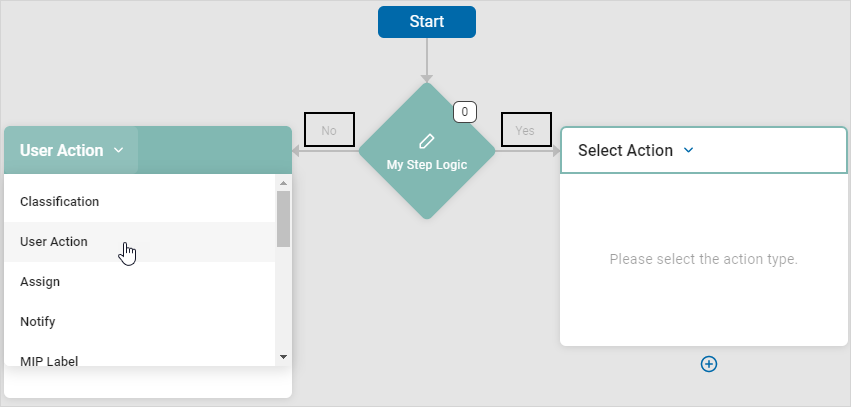
- Standard actions: Classification, Assign, MIP Label, Notify, User Action,
- Remediation actions: Restrict Access, Quarantine, Shred, Redact, Execute Script, Take No Action, or Ignore.
Playbooks use decision points (diamond shape in the playbook example below), which lead to actions such as classification or user actions as a result of the decision.
Playbook Builder
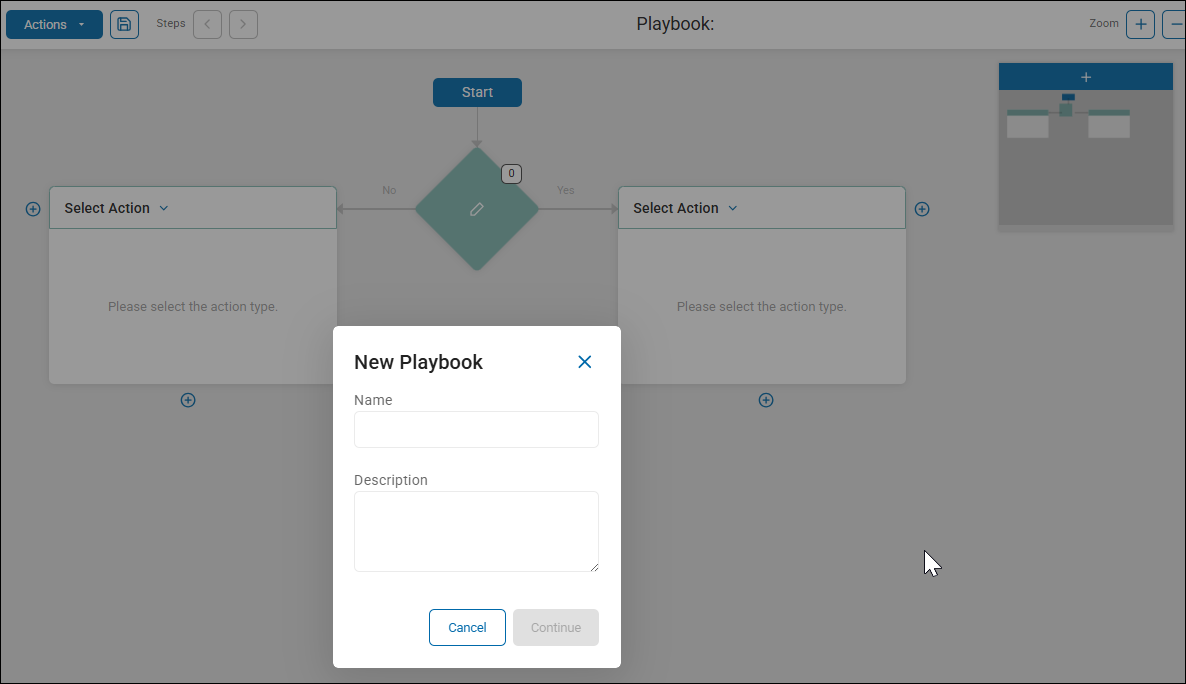
The Playbook Builder is the administrative view for creating and defining a playbook.
Launch the playbook builder from the "Scan Playbook" page (Scans > Scan Playbooks) by clicking the blue + Add Playbook button in the top right corner.
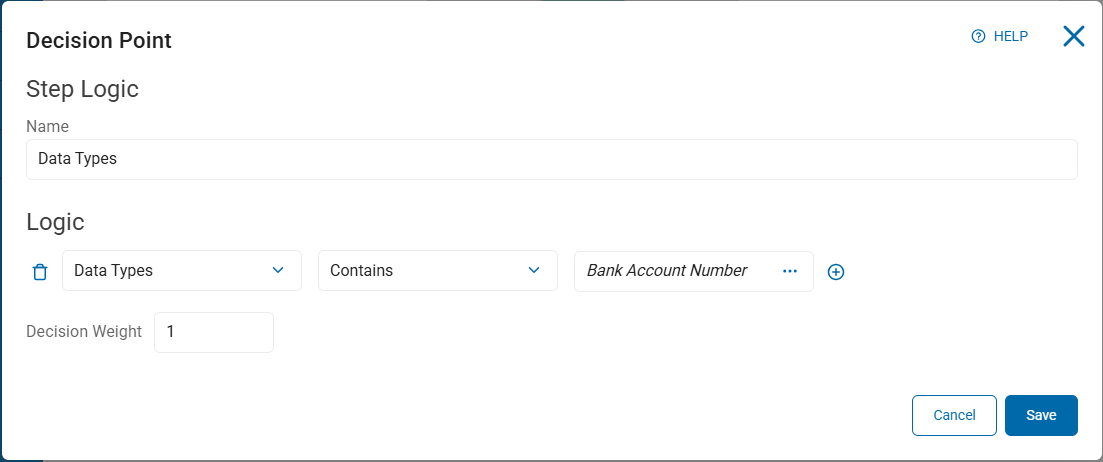
Decision Point Editor
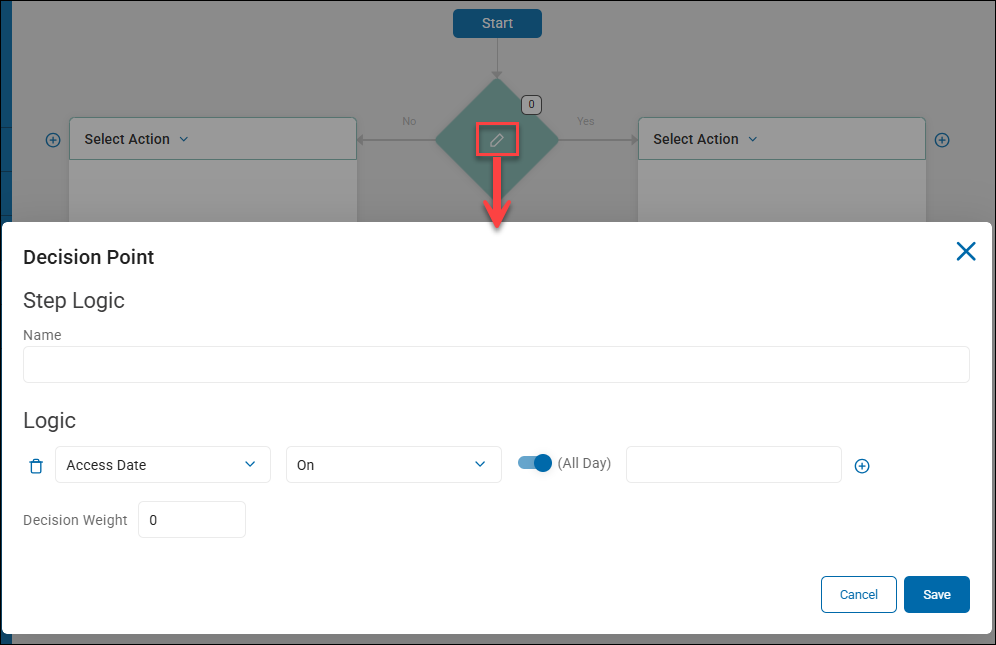
The Decision Point editor is where you define the logic for the decision to be made in your playbook. This could be what to do (quarantine, redact, shred, etc.) when a social security number is found, or if sensitive data older than 10 years is found, etc.
From within the Playbook building, select the pencil icon inside a decision diamond to launch the Decision Point editor.
Playbook Executor
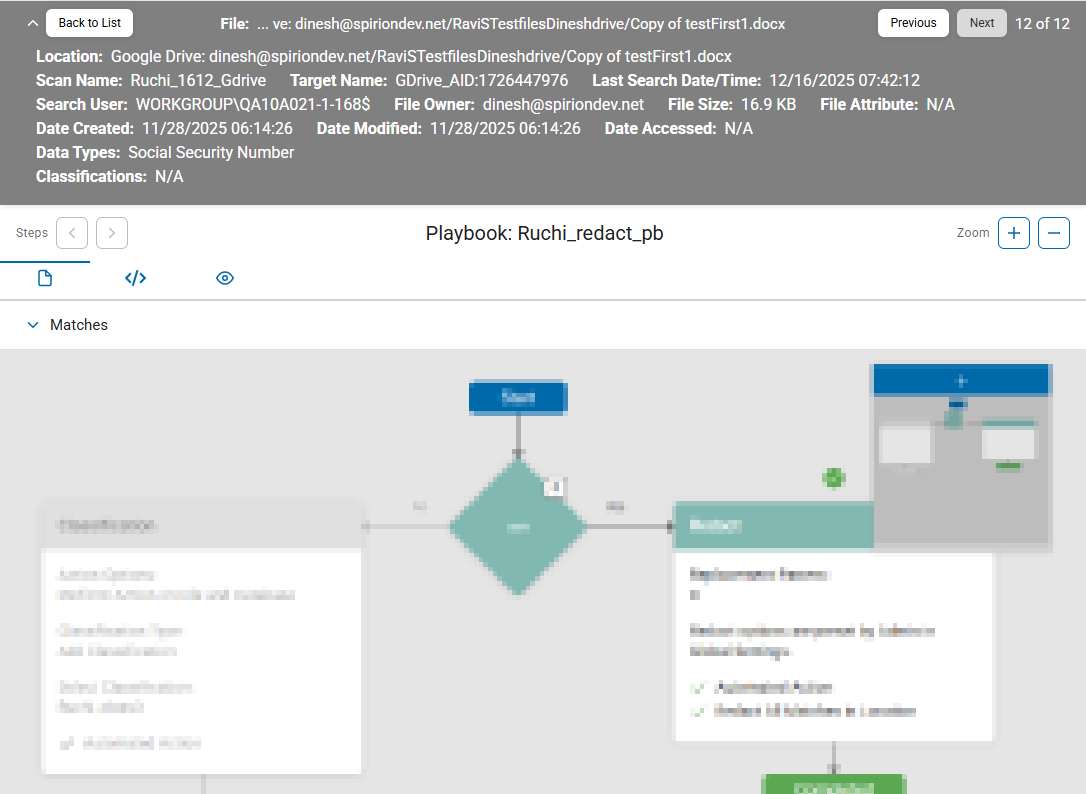
The Playbook Executor is the end user view for investigation and remediation of sensitive data matches.
- For information about the playbook executor, see How to View Information about Files and Sensitive Data Matches in Scan Results.
A sample view of the playbook executor (at top of page) is shown below: